.png)
Local Users Domains
For authenticating basic authentication users, set the configuration options:
Password Policy Configurations
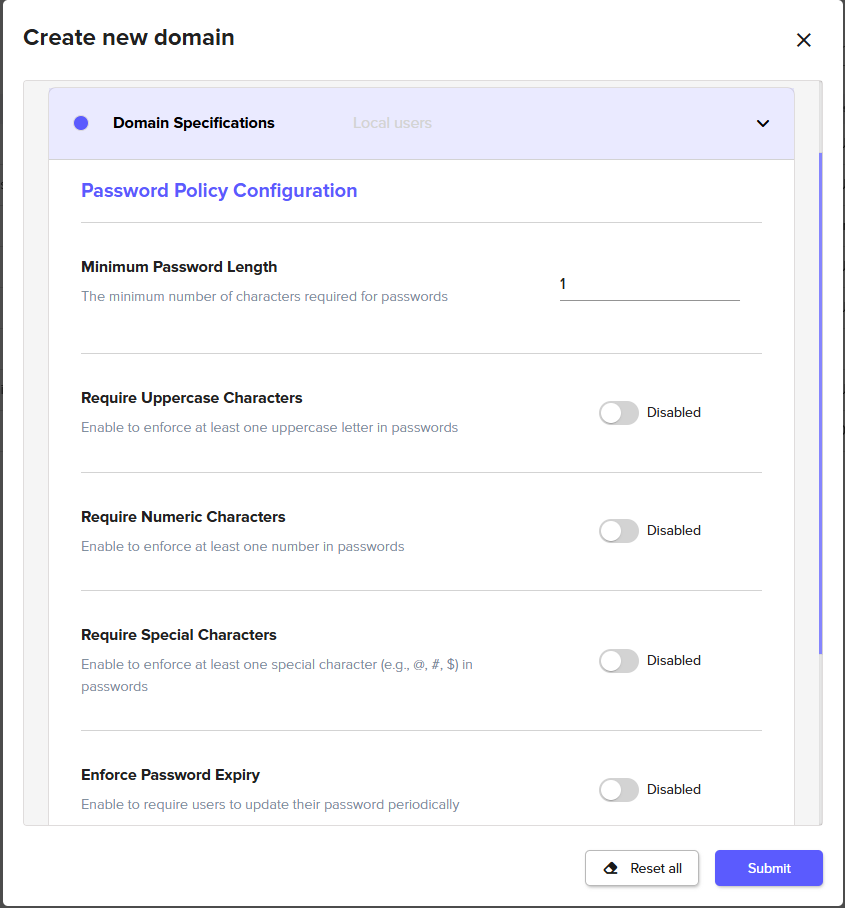
Password Policy Option | Description |
|---|---|
Minimum Password Length | The minimum required length of passwords. |
Require Uppercase Characters | Require passwords to include uppercase characters. |
Require Numeric Characters | Require passwords to include numeric characters. |
Require Special Characters | Require passwords to include special characters (e.g. symbols). |
Enforce Password Expiry | Enabling this option will allow setting a number of months before a password expires. |
Account Lockout Policy
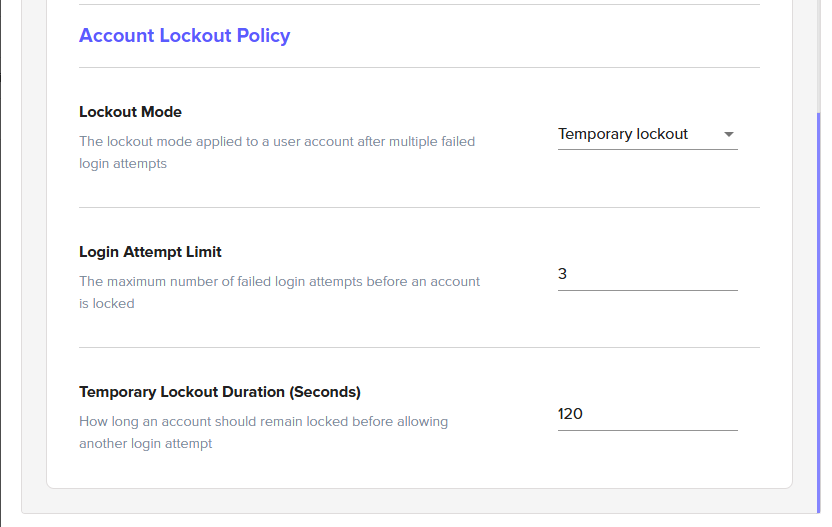
Account Lockout Option | Description |
|---|---|
Lockout Mode | The following modes are available:
Accounts that have been locked out must be reset by an Admin. |
Login Attempt Limit | The maximum number of failed login attempts before an account is locked. |
Temporary Lockout Duration | How long an account should remain locked before allowing another login attempt, expressed in seconds. |

Managing Users
Once the Local Users domain has been created, you can select the Local Users domain from the list of available domains from the Access>Domains section of the Admin Web Console. This brings up a window for editing the domain. Navigate to the Users tab to manage the users of the domain.
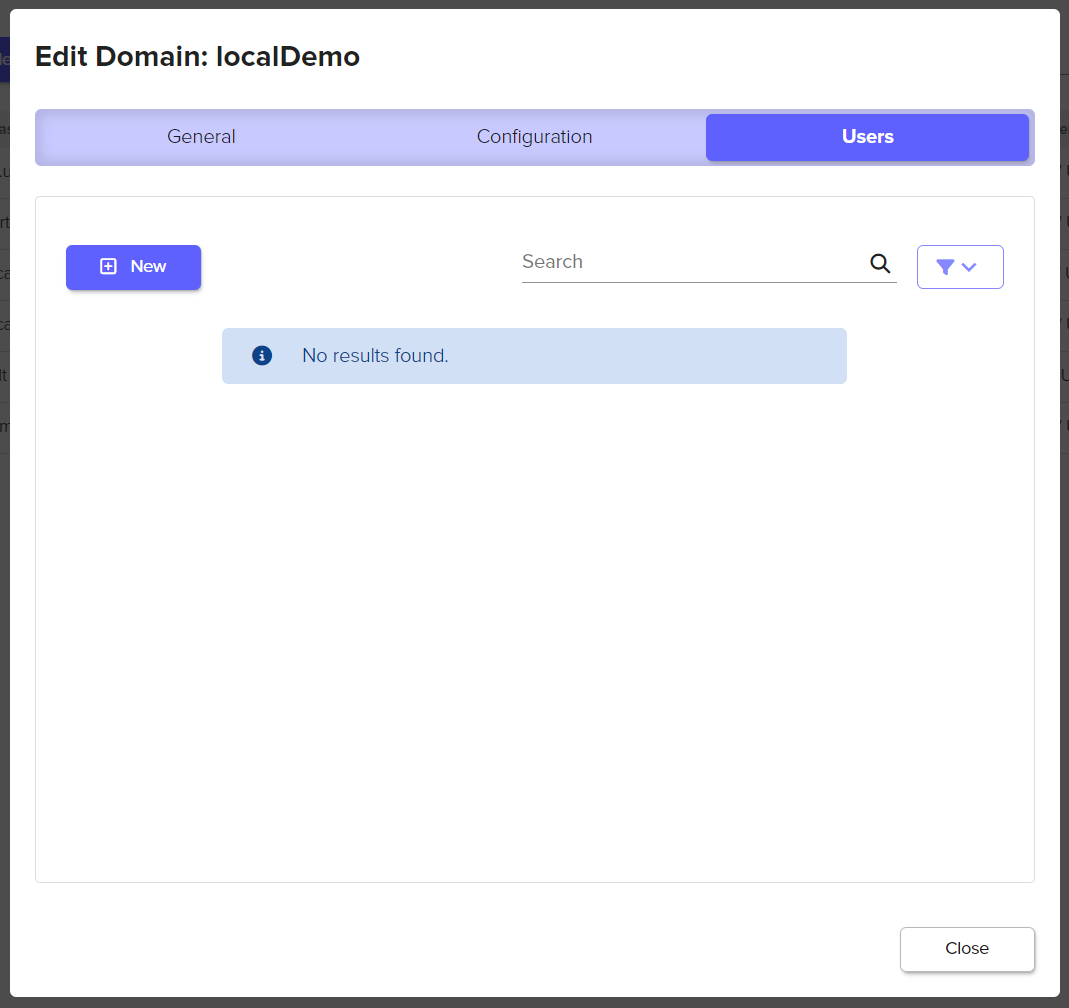
Creating a User
Select the New button to create a new local user that will be a member of the selected domain.
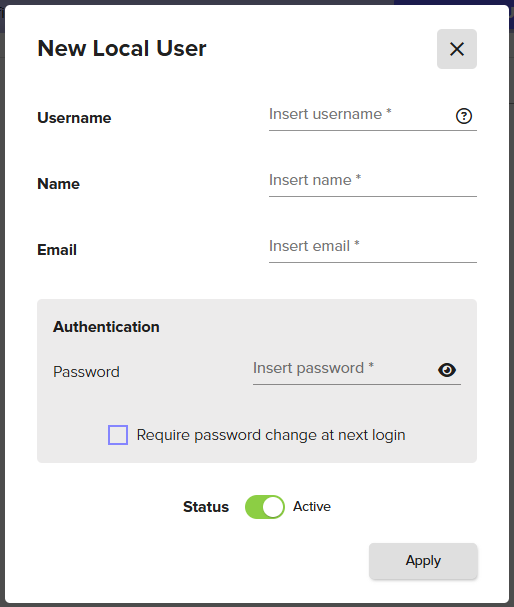
User Configuration Options | Required | Description |
|---|---|---|
Username | Yes | The username of the user.
|
Status | N/A | Defaults to Active. A user with an Inactive Status will not be able to login. |
Name | Yes | The name of the user. |
Yes | The email address for the user. | |
Password | Yes | The password for the user. Enable User is prompted to change password on next login. |
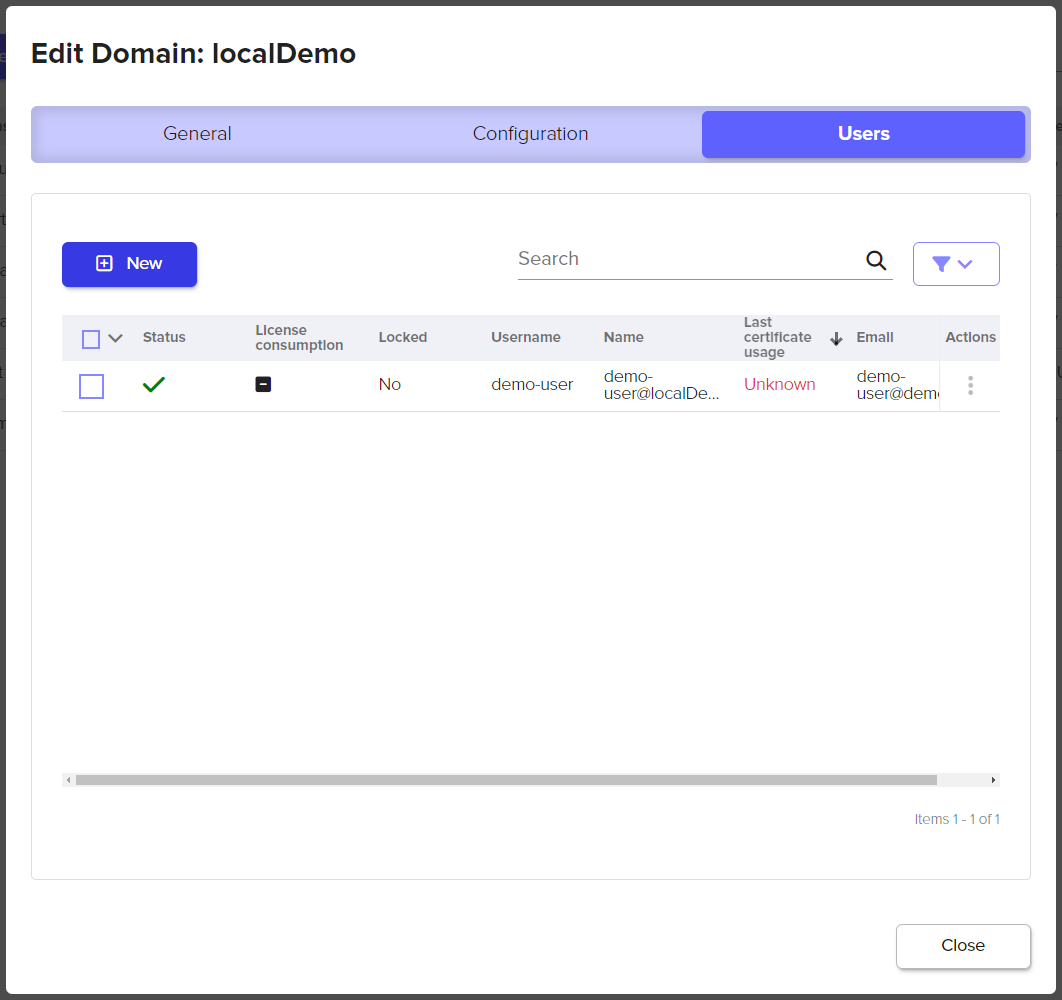
Once the user is created, the user appears in the Users table that can be seen in the Users tab of the Edit Domain window. The following is an example user:
Selecting the user brings up additional properties about the user.
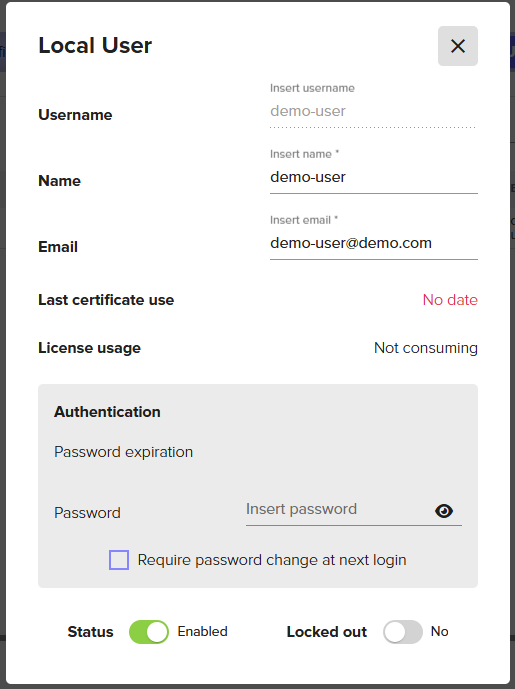
Additional User Properties | Description |
|---|---|
Last certificate usage | The last date and time this user signed with a Signum certificate. |
Locked out | This option will be enabled if a user has been locked out of their account based on the Local User domain password policy. The Signum Administrator can toggle this button to unlock the account. |