.png)
ISG Tanium SaaS Deployment
This guide provides an overview of the integration between AgileSec Analytics and the Tanium SaaS Environment.
Key Differences with On-Premises
The SaaS deployment has the following key differences with the on-premises deployment:
Scripted Load: The load of the new content set from AgileSec for Tanium shall be loaded via Tanium API, as Tanium SaaS does not support the manual Load of the Content Set.

The new option 1 to run and export at the same time avoids using Tanium Connect and going through authentication process from Tanium SaaS to the AgileSec Server.
Architecture
Overview
AgileSec Integration with Tanium involves the following key components:
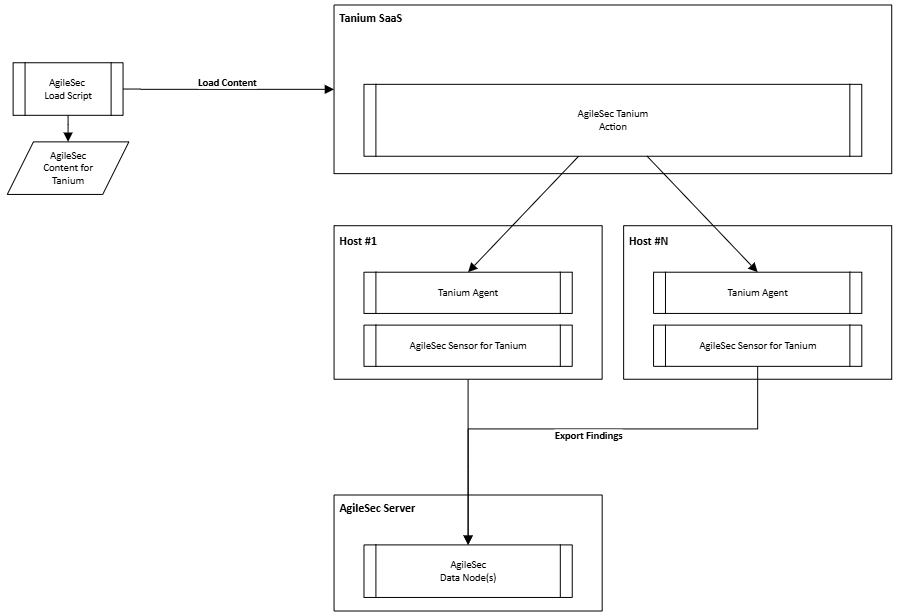
The AgileSec Load Script is used to connect to the Tanium SaaS API and to load the different content.
The Tanium SaaS via the AgileSec Tanium Actions will trigger the Cryptographic Discovery operations using the Tanium Infrastructure across all targeted Hosts.
The Tanium Agent will deploy and trigger the AgileSec Sensor for Tanium across all hosts.
The AgileSec Sensor for Tanium will perform the cryptographic discovery and immediately send the findings to the AgileSec Server from the Host.
The AgileSec Server receives the findings generated by the multiple Hosts.
Networking and Security
The following security and network aspects are considered:
Connection | Protocol | Authentication |
|---|---|---|
AgileSec Load Script > Tanium SaaS | HTTPS | Token to be Created in Tanium |
Tanium SaaS > Hosts | Managed by Tanium | Managed by Tanium |
AgileSec Sensor > AgileSec Server | Managed by AgileSec Analytics | Managed by AgileSec Analytics |
Tanium SaaS APIs
The AgileSec Load script is based on a scripting language, enabling customers to review the different API and calls made to load the Content Set into Tanium. The following key API are used.
GET /api/v2/content_sets/by-name/
POST /api/v2/content_sets
GET /api/v2/sensors/by-name/
POST /api/v2/sensors/
GET /api/v2/packages/by-name/
POST /api/v2/packages/
POST /api/v2/upload_file_stream
Load Content
Structure
The AgileSec Package for Tanium has the following structure:
isg-tanium
|-> /API-Loader
    |-> verify.sh                       >> The verification script
    |-> deploy.sh                       >> The deploy script
    |-> shared.sh                       >> shared code
    |-> README.md                       >> readme file
    |-> packages-3.4.0.zip              >> Content that will be loaded to Tanium SaaS
    |-> sensors-3.4.0.zip               >> Content that will be loaded to Tanium SaaS
|-> /Packages-Executables               >> Content that will be loaded to Tanium Saas
|-> /Other                              >> Other Content that will be loaded to Tanium SaaS
Configuration Execution
To execute the Verify and Deploy script, you must pass the TANIUM_TOKEN and TANIUM_API_URL Environment variables before executing the scripts. You shall run as follows:
Export Token  >> export TANIUM_TOKEN=XXXXXXX-MYTOKEN-XXXXXXX
Export URL    >> export TANIUM_API_URL=https://xxxx-api.your-tanium-saas-instance.com/
Run Verify    >> ./verify.sh
Check Results >> InfoSec Global - verify Tanium Integration ...
              >> 10:44:58.802547336 validating session (https://...
              >> OK

Run Deploy    >> ./deploy.sh
Check Results >> 11:22:43.467834797 InfoSec Global - deploy Tanium Integration ...
              >> 11:22:43.469422883 data: ./cloud/, executables: ./Packages-Executables/
              >> ..
Verify Deployment
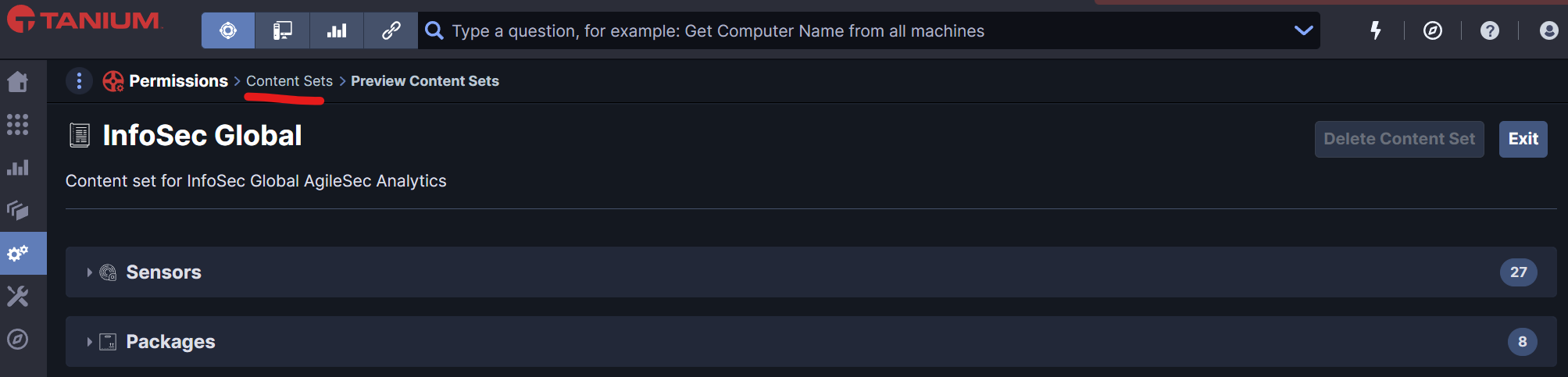
To verify the correct deployment of the Sensor, you can review the Content Sets InfoSec Global and check that the packages and sensors are correctly deployed.
Execute
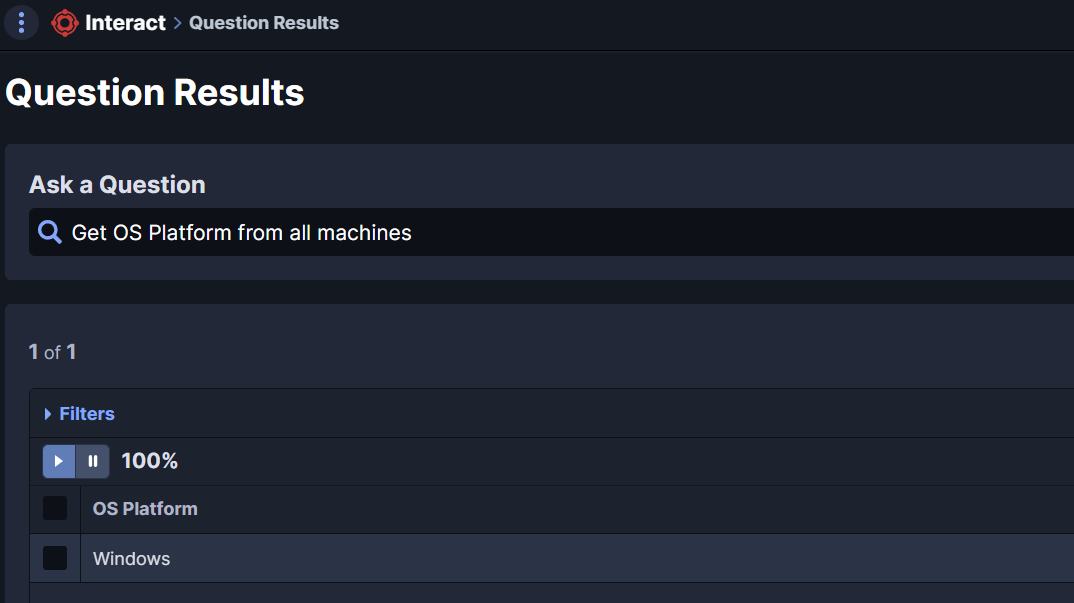
Select Target Systems
Use Tanium Interact to retrieve specific systems for the cryptographic inventory. As the AgileSec Tanium Actions run by OS, it is recommended to group target hosts by OS Platform.
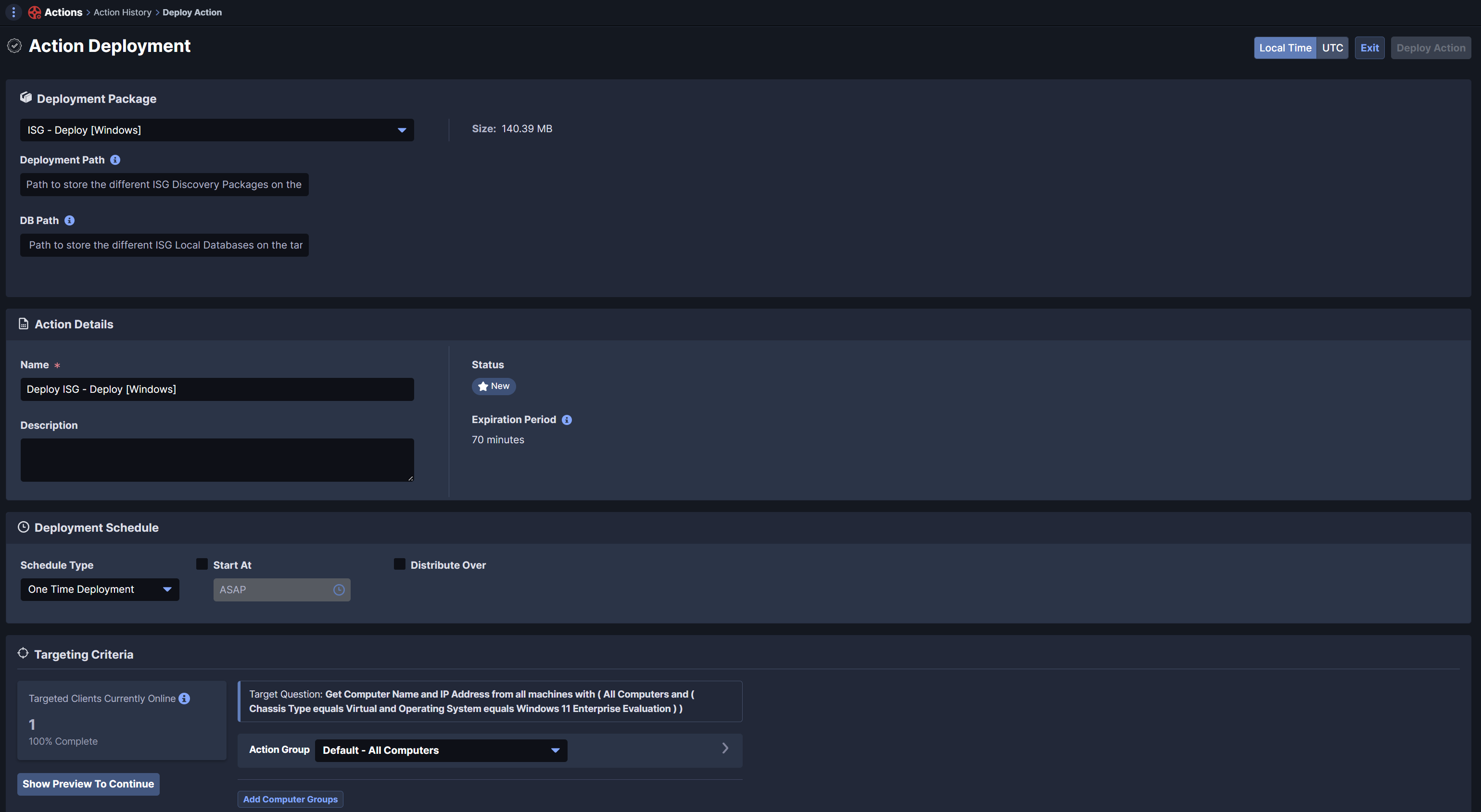
Run Deploy Action
Select the OS and run a specific Action. Select the ISG - Deploy action and execute it against the target Hosts.
Run "Run " Action
After successful deployment of the AgileSec Plugin, you can run the Run Action against Windows or Linux devices. For this purpose, you can select the ISG- Run Action and set the different parameters:
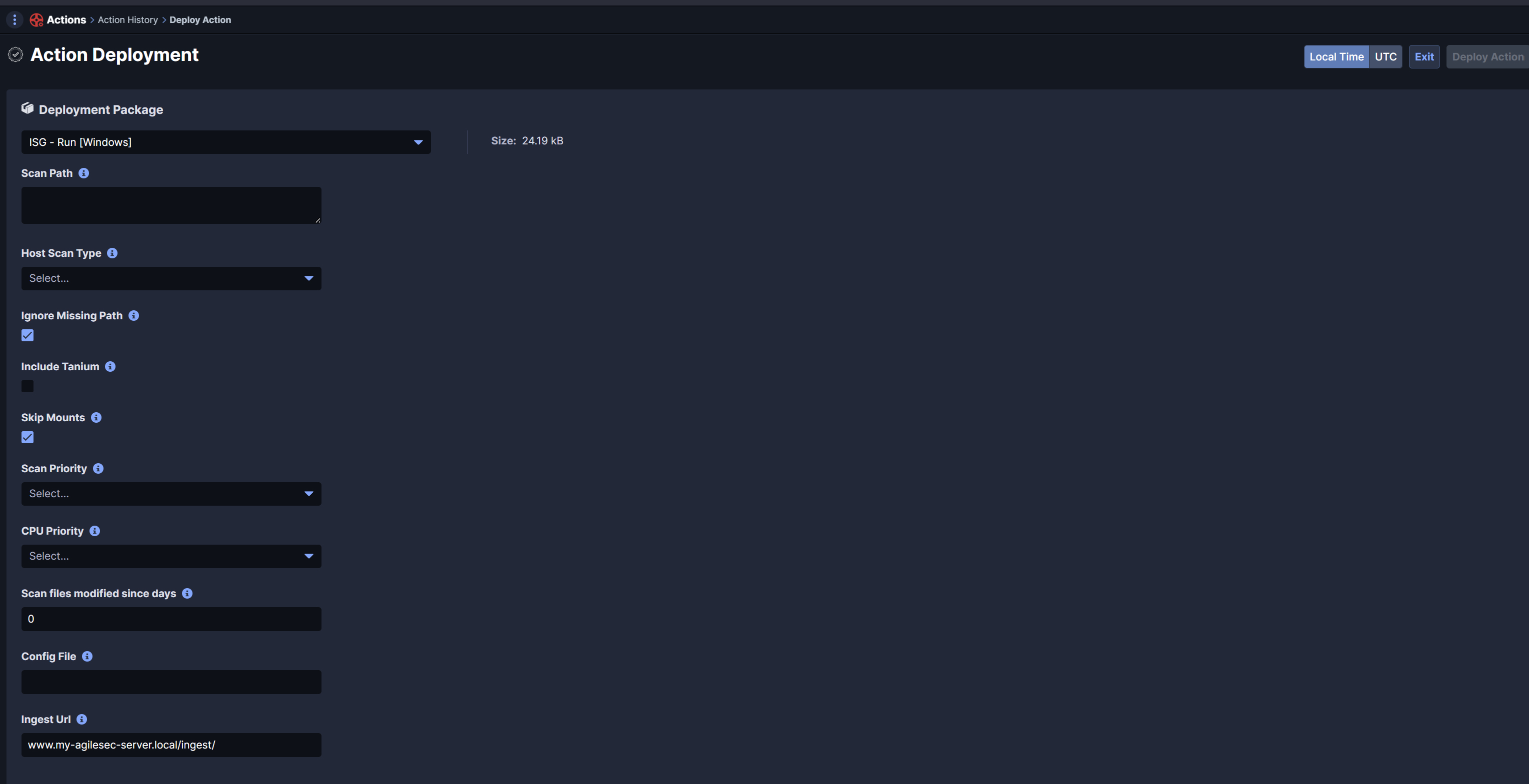
Scan Path: Set the Directories or Drives to include in the analysis
Host Scan Type:Select the type of analysis
Run: Perform Incremental Scan since last scan
Run-Full: Perform complete scan and export results to AgileSec Server
Network: Only scan network interfaces and export results to AgileSec Server
Ignore Missing Path: Avoid to fail if a given scan path is missing
Include Tanium: Set to include tanium directory in scan process
Skip Mounts: Set to skip network mounts
Scan Priority: Set priority of the discovery process vs other processes.
Low: set Low priority process to discovery
Normal: set Normal priority process to discovery
High: set High priority process to discovery
CPU Priority: Set number of threads to run paralleize the discovery process
Low: Set single thread / core usage
Normal: Set 4 threads usage
High: Set 8 threads
Config File: Add custom configuration file
Ingest URL: Set URL of your agileSec Server: https://my-agilesec-server.local/ingest/isg.sensor
Note: Ingest URL shall include the entire details with tag based on your server configuration such as ../ingest/isg-sensor
Recommended Configuration
The following settings are recommended by default:
Scan Path | C:/, D:/ |
Host Scan Type | Run-Full |
Ignore Missing Path | Checked |
Include Tanium | Not Checked |
Skip Mounts | Checked |
Scan Priority | Low |
CPU Priority | Normal |
Config File | Empty only for specific configuration |
Ingest URL | your server URL |