.png)
Keyfactor ACME enables seamless integration with various ACME clients to automate the management of SSL/TLS certificates. The ACME protocol, as defined by RFC 8555, simplifies certificate lifecycle tasks such as issuance, renewal, and revocation by automating interactions between ACME clients and Certificate Authorities (CAs).
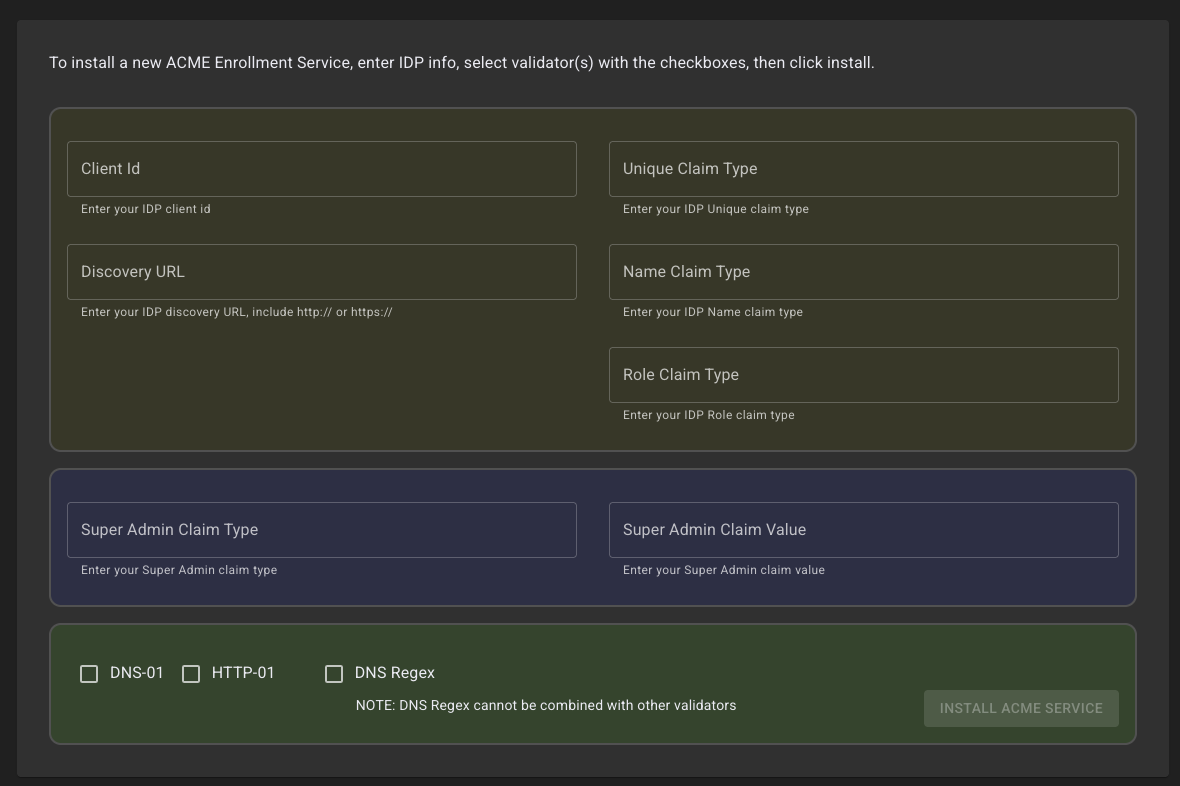
The Customer Portal provides the capability to deploy Keyfactor ACME instances configured with various ACME validation rules that can be applied and then used with remote clients.
Configuration Requirements
To configure ACME with Command SaaS, an external Identity Provider (IdP) supporting OIDC needs to be configured.
Identity Provider Setup
-
Client ID (From your IDP)
-
A Discovery URL for configuring connection properties from your provider
-
Claim Configuration - The user/service that will be making the requests for EAB keys to be used later by ACME clients for enrollment via ACME.
-
Unique Claim Type
-
Name Claim Type
-
Role Claim Type
-
-
Super Admin - The user/service that will be interacting with the ACME management API for configuring the ACME server and validation rules. These values will come from the IDP. For more information, see Keyfactor ACME API .
Validators
One or more validation rules can be configured for the ACME deployment. For more information about Command ACME validation options, see Validators and the Identifiers Command .