.png)
EJBCA to SignServer Peering uses port 443 (SSL/TLS) for communication. This connection is initiated from the EJBCA server to the SignServer node and needs to only go one way but allow return communication.
-
Create a security group that allows for TLS traffic within the VPCs. In this example, the VPC internal address space is 172.16.0.0/16 in US-East-1. Create a Security Group called Allow All TLS Traffic with the following rules:
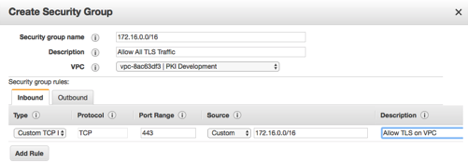
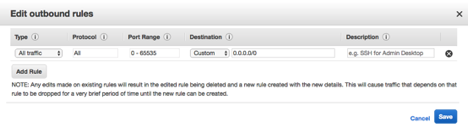
This allows any connections outbound to any address and any inbound connection on port 443 from any address on the 172.16.0.0/16 subnet. The same rule in the other VPC will also need the same rule configured. These rules may be tightened as required for the organization. -
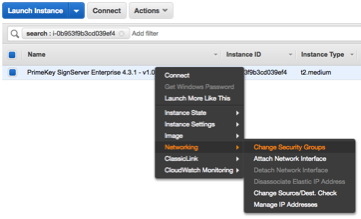
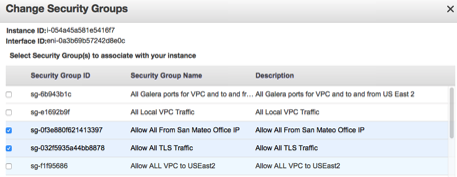
Apply these Security Groups to the EJBCA Cloud and SignServer Cloud Nodes in each of the VPCs. Right-click the node, select Networking and then Change Security Groups:
-
Apply the security group to the instances so that they can communicate with each other:
-
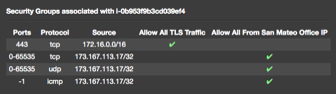
In the node details there is a link to View Inbound Rules. The associated IPs should be set up according to the following example (modified for your IP ranges subnets):