.png)
The following covers how to create and restore a snapshot on a KVM-based hypervisor.
Create and Restore Snapshots
The following sections provide instructions for creating and restoring a snapshot.
A snapshot is not a full backup. It only saves the difference (delta) of your virtual machine between two timestamps.
Attention!
Note that a snapshot will not help if the server becomes corrupted and the virtual machine is deleted.
Create a Snapshot
The following covers how to create a snapshot for a KVM-based hypervisor using virsh or the cockpit.
Using virsh:
-
Switch to your Terminal from the sidebar menu.
-
Enter the command:
virsh snapshot-create and the name of the virtual machine(The virtual machine will be paused during the process and started again after creating the snapshot.)
-
Enter the command:
virsh snapshot-list and the name of the virtual machine -
The just created (and any older) snapshot(s) will be listed.

Using cockpit:
-
Open your cockpit and choose Virtual Machines from the sidebar menu.
-
Choose and open the virtual machine you want to take the snapshot from.
-
You may pause the machine or wait for the UI on cockpit to do this automatically.
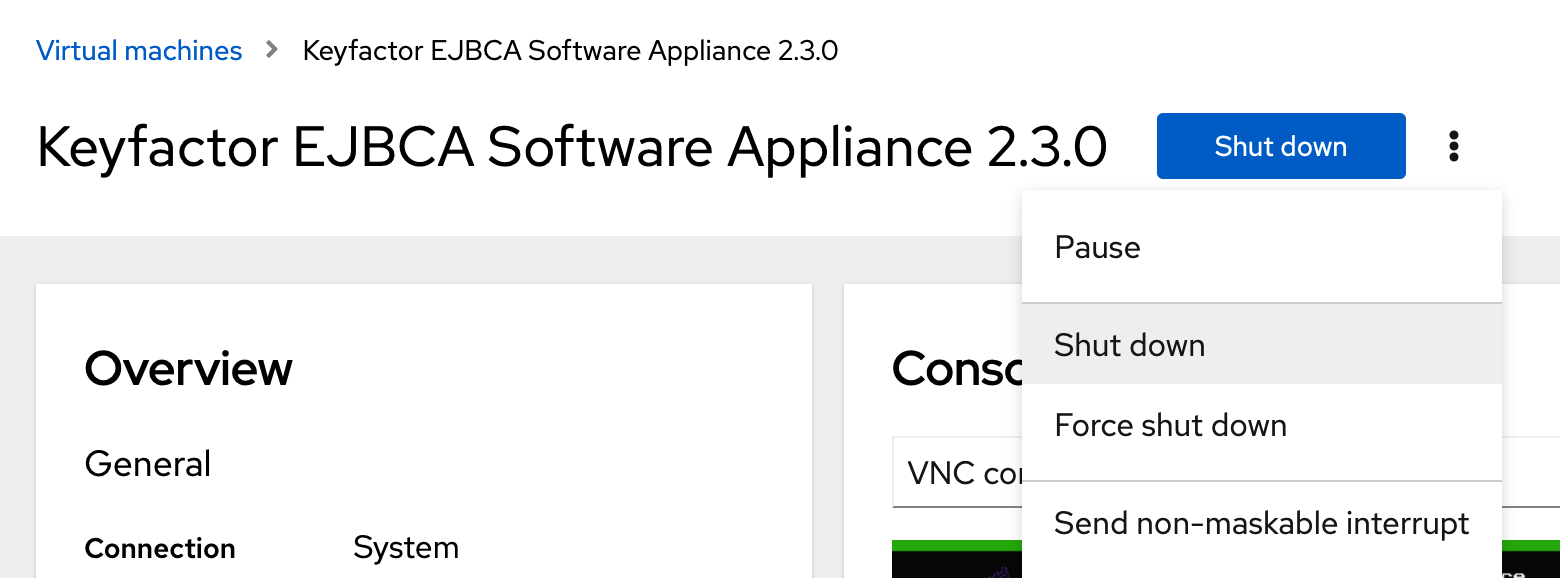
As soon as the snapshot is taken the virtual machine will start again automatically. -
Scroll down in Virtual Machines interface to Snapshots and click the button Create snapshot.
-
A modal dialog opens.
Complete and continue with Create.
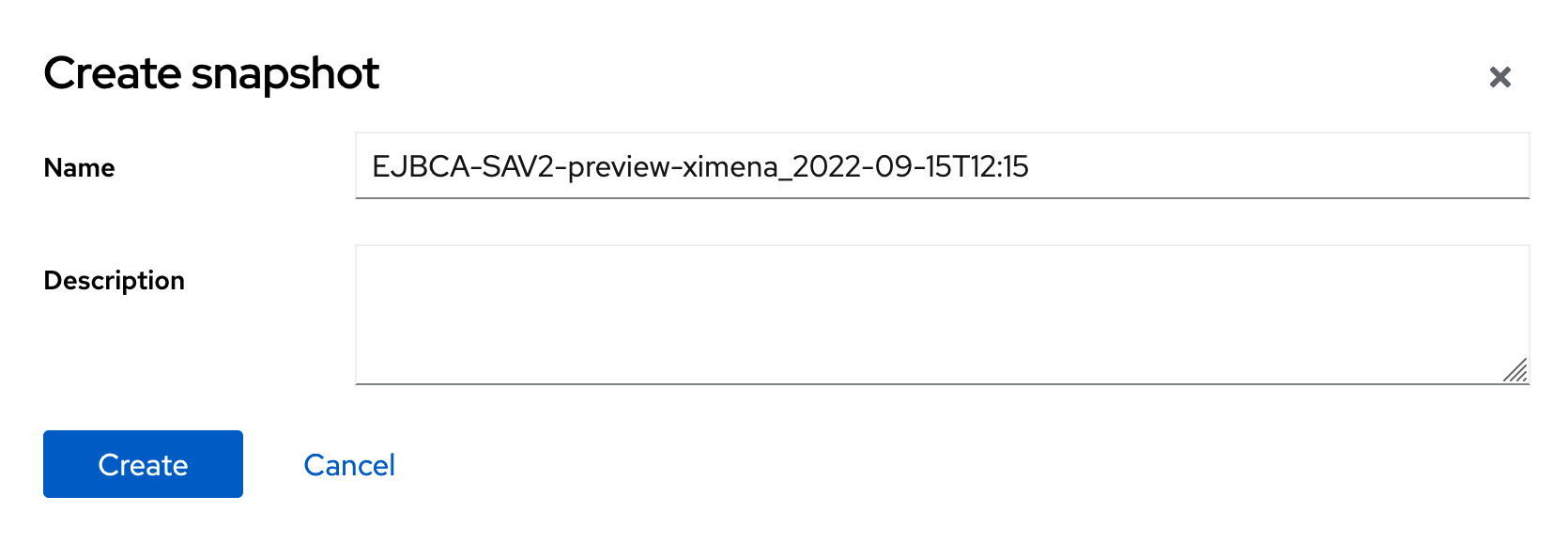
-
Once the snapshot is created, it is displayed among the listed snapshots.
-
Go back to the Virtual Machine and stop pausing.
Restore using a Snapshot
Using virsh:
-
Switch to your Terminal from the sidebar menu.
-
Enter the command:
virsh snapshot-create and the name of the virtual machine -
Shut down the machine.
-
Enter the command:
virsh snapshot-revert, the name of the virtual machine and the snapshot -
After the virtual machine is restored it will power on automatically.
Using cockpit:
-
Open your cockpit and choose Virtual Machines from the sidebar menu.
-
Choose and open the virtual machine you want to restore.
-
Shut down the machine.
-
Scroll down in Virtual Machines interface to Snapshots and click the button Revert.

-
Go back to the Virtual Machine and power it on again.
Delete a Snapshot
Using virsh:
-
Switch to your Terminal from the sidebar menu.
-
Enter the command:
virsh snapshot-delete, the name of the virtual machine and the snapshot
Using cockpit:
-
Open your cockpit and choose Virtual Machines from the sidebar menu.
-
Choose and open the virtual machine.
-
Scroll down in Virtual Machines interface to Snapshots and click the button Delete.