.png)
Post-deployment configuration for the AgileSec ServiceNow VR Integration.
Overview
Follow these steps to configure additional options for the AgileSec ServiceNow VR Integration post-deployment.
Prerequisites
Ensure AgileSec ServiceNow VR Integration is deployed and initially configured as instructed in AgileSec ServiceNow VR: Deployment .
Update Custom Application Roles
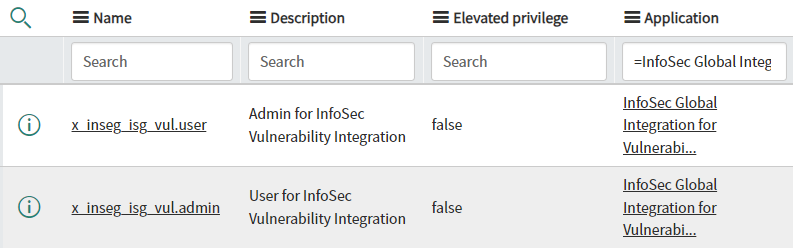
Update the custom application roles x_inseg_isg_vul.user and x_inseg_isg_vul.admin to provide access to Vulnerability tables and data. These roles have access to the import tables in the application.
Assign system role sn_vul.vulnerability_analyst to custom role x_inseg_isg_vul.admin and system role sn_vul.read_all to custom role x_inseg_isg_vul.user. This empowers the custom roles to access information in other Vulnerability Response application tables, for example, Vulnerability Integration and Integration Runs.
Customize the Normalized Severity Mappings
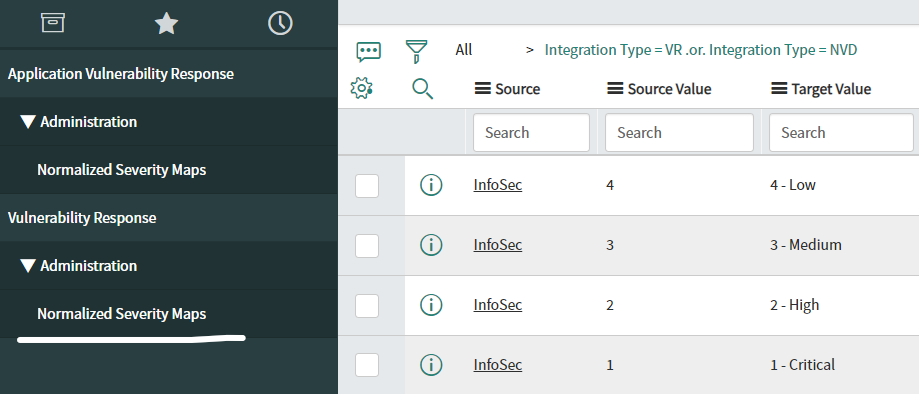
Update the Normalized Severity mappings if required.
-
Navigate to Vulnerability Response > Administration > Normalized Severity Maps
-
Filter source by InfoSec.
-
Review the records with Source = InfoSec and update if needed.
Customize CI Lookup Rules
Update the CI Lookup Rules if required.
-
Navigate to Security Operations > CI Lookup Rules.
-
Filter source by InfoSec Vulnerability Response
-
Review the records with Source = InfoSec Vulnerability Response and update if needed.

Customize Maximum Vulnerabilities
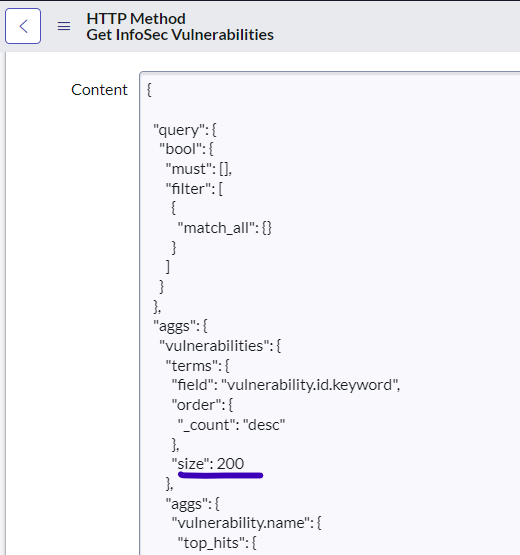
On the HTTP method Get InfoSec Vulnerabilities, the query has a size set to 200. This value covers the maximum vulnerabilities created by the ISG backend by default. This number can be tweaked in case customer alerts are being created by a company.
-
Navigate to InfoSec Vulnerability Integration > Integration Configuration.
-
Click on Rest Message InfoSec Vulnerability.
-
Click on HTTP Method Get InfoSec Vulnerabilities.
-
Navigate to the HTTP Request Tab and review the Content block.
-
Update
sizeif needed.
Customize Scroll Size
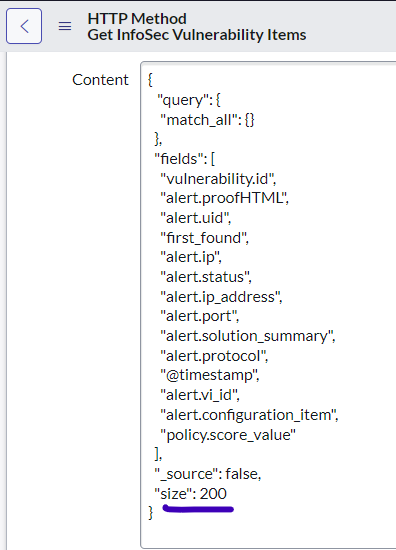
By default, the integration uses a pagination/scroll mechanism to retrieve the vulnerability items. A query retrieves by default a maximum of 200 vulnerable items. While this number can be customized, it is highly recommended to keep it small to prevent potential performance issues.
-
Navigate to InfoSec Vulnerability Integration > Integration Configuration.
-
Click on Rest Message InfoSec Vulnerability.
-
Click on HTTP Method Get InfoSec Vulnerability Items.
-
Navigate to the HTTP Request tab and review the Content block.
-
Update
sizeif needed.