.png)
Navigate using the AgileSec ServiceNow VR Integration to create and investigate cryptographic vulnerabilities, vulnerable items, and detections within ServiceNow.
Functionality
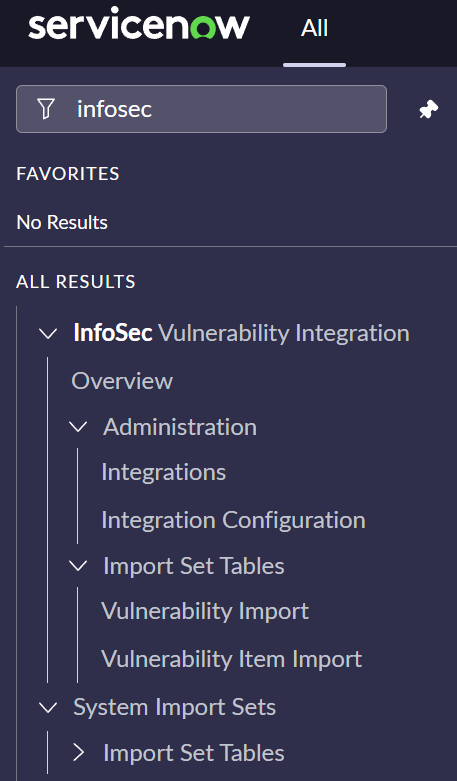
The AgileSec ServiceNow VR Integration UI includes the following principal items:
-
Overview: Dashboard summary of synchronization with AgileSec platform.
-
Administration: Configuration of the integration.
-
Integration: Enable configuration of the scheduled tasks for synchronization.
-
Integration Configuration: Configuration of the REST Messages.
-
-
Import Set Tables: Data imported in ServiceNow from AgileSec platform.
-
Vulnerability Import: List of import set tables for imported Vulnerabilities.
-
Vulnerable Items Import: List of import set tables for imported Vulnerable Items.
-
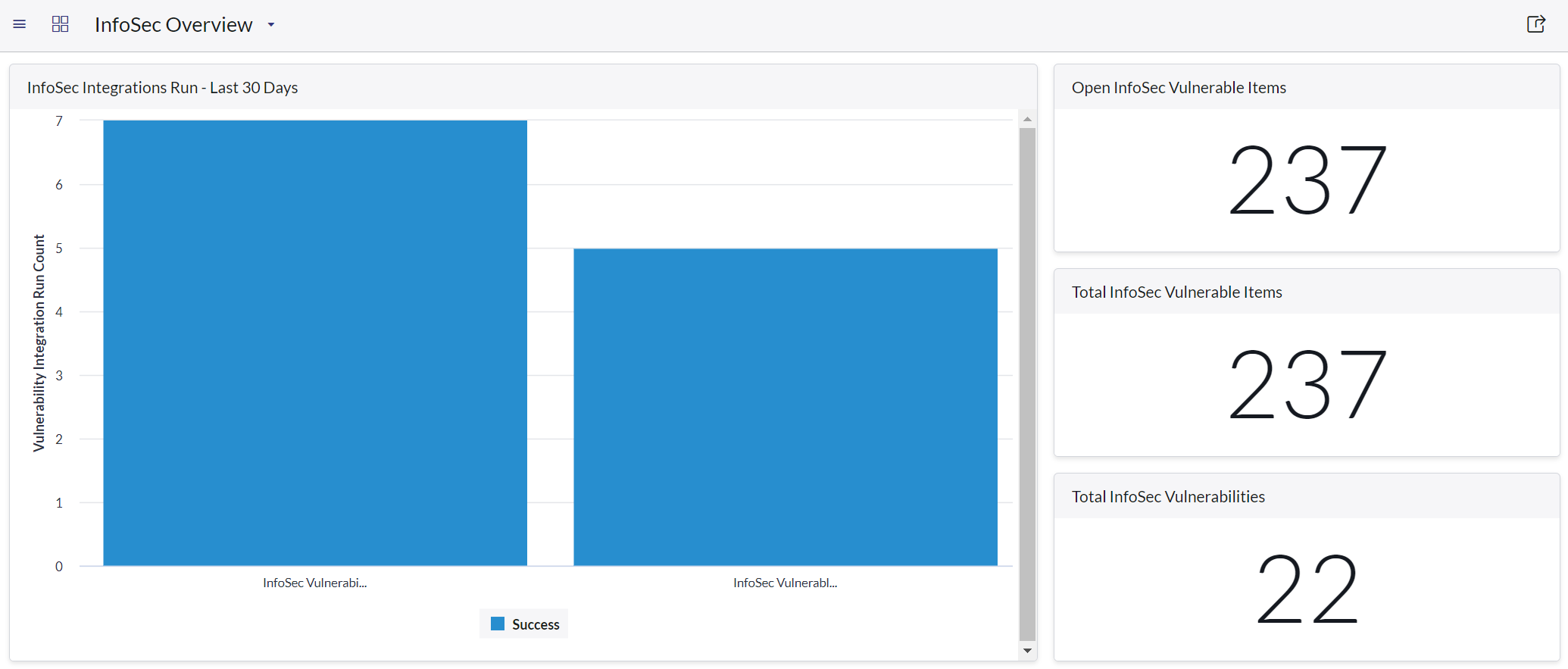
Overview Dashboard
The Integration provides a dashboard displaying summary information about cryptographic vulnerability and vulnerable items created. Information will be populated in the Integration’s dashboard after the first synchronization.
Administration: Integration Configuration
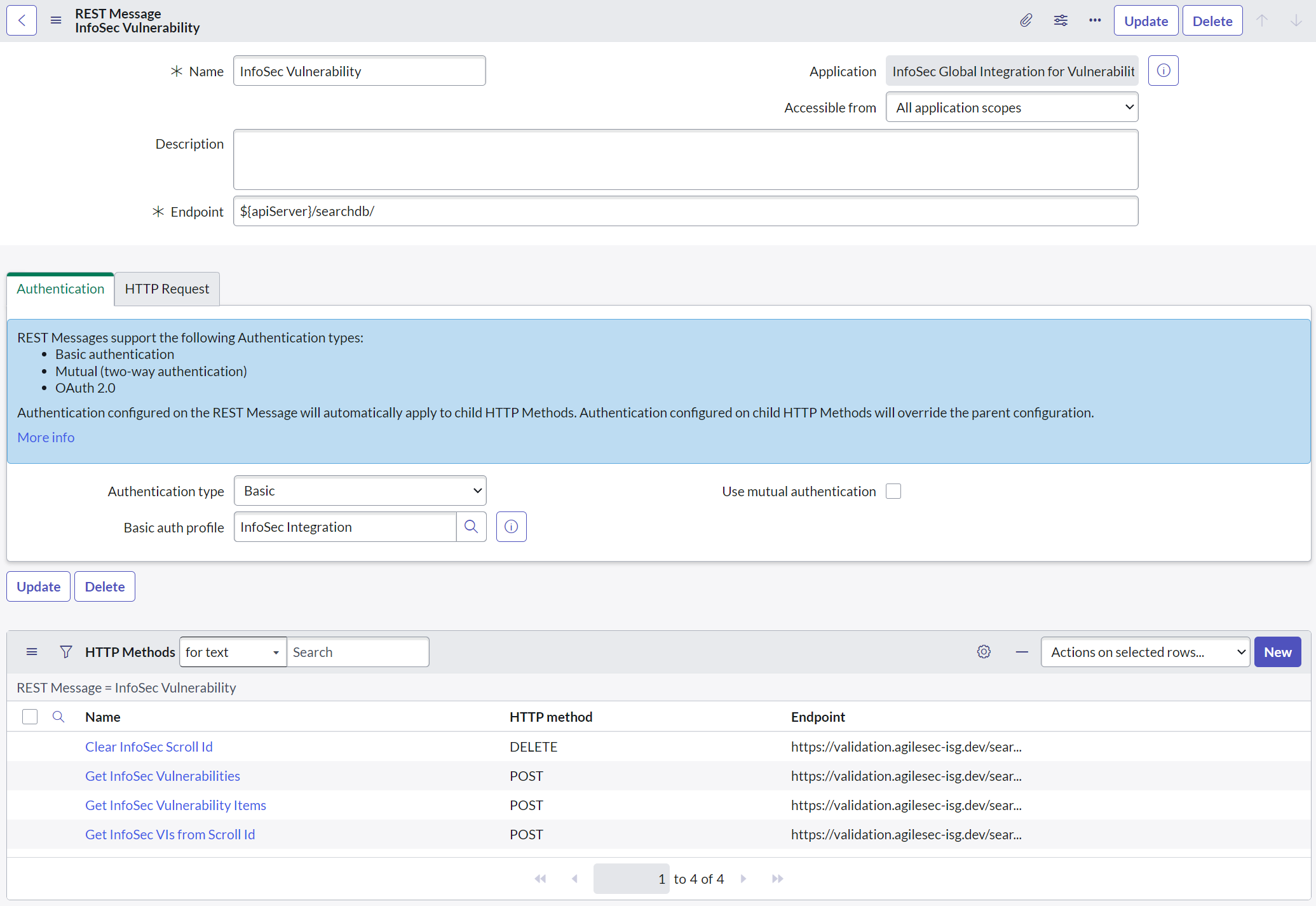
Integration Configuration can be accessed using Administration> Integration Configuration> InfoSec Vulnerability. It accesses the configuration of the REST Messages used by the Integration to interact with the AgileSec Analytics Server.
REST Message
The following HTTP Methods are used by the AgileSec ServiceNow VR integration:
-
Get Vulnerabilities. HTTP request to collect the list of cryptographic vulnerabilities.
-
Get Vulnerability Items. HTTP request to initiate the pagination for Vulnerability Items.
-
Get VIs from Scroll ID. HTTP request to paginate the list of vulnerability items.
-
Clear Scroll. HTTP Request to clear the pagination.
Administration: Integration
Vulnerability Integrations are used to trigger the synchronization between AgileSec Analytics and SNOW. The integrations can be accessed via Vulnerability Response> Integrations.

Integrations
The following integrations are defined and can be scheduled to import data within SNOW.
-
Vulnerability Integration. The task used to synchronize the list of cryptographic vulnerabilities in SNOW from the AgileSec Analytics Server using REST messages.
-
Vulnerable Items Integration. The task used to synchronize the list of Vulnerable Items in SNOW from the AgileSec Analytics Server using REST messages.
Schedule Integrations
The integration tasks can be run manually or scheduled to run at a given period. Note that it is expected that the Vulnerability Integration runs prior to the Vulnerable Item Integration.

Import Set Vulnerability Import
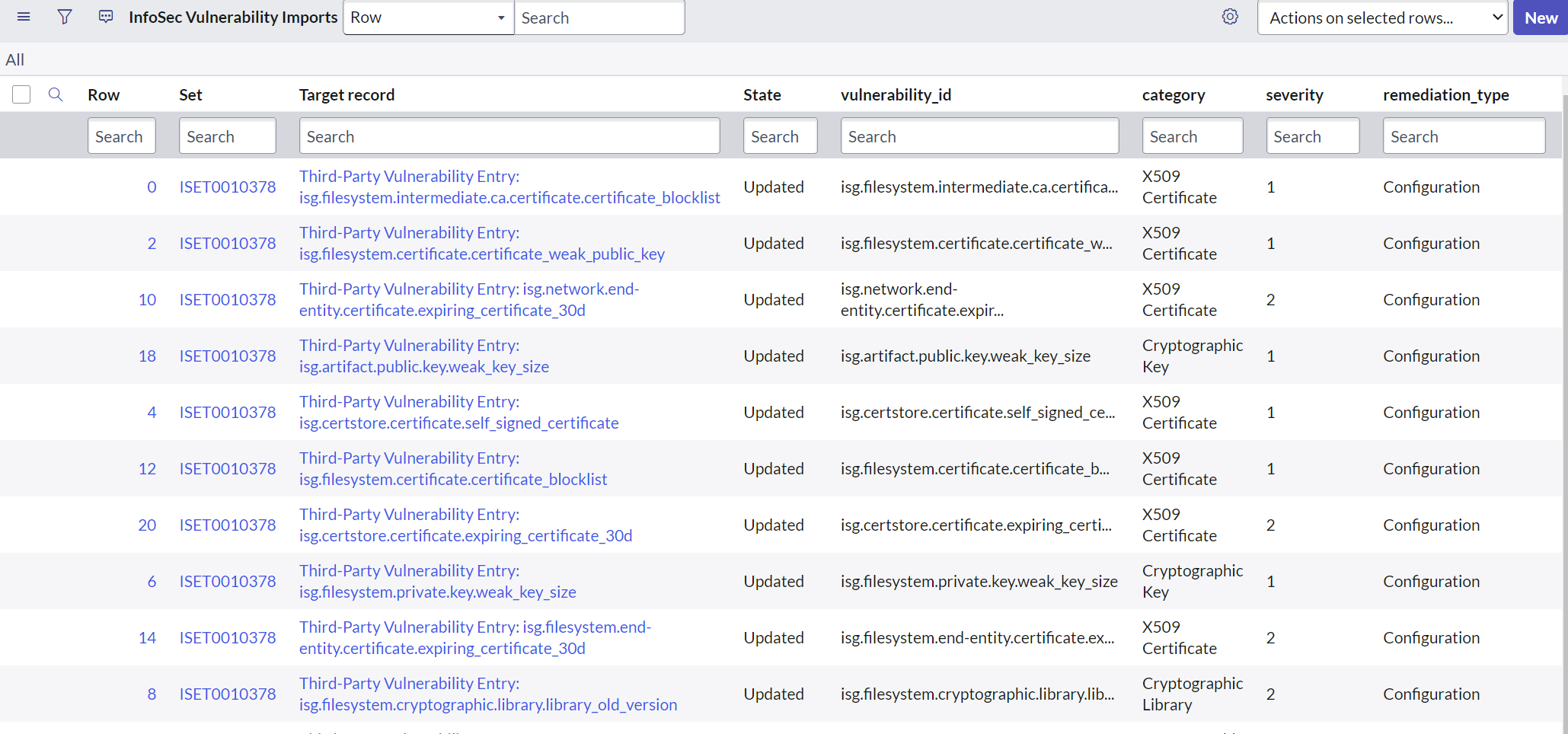
The Import Set Vulnerability Import includes data about the vulnerabilities found within AgileSec Analytics Server.
Fields
The following fields are created by the Integration and will be synchronized with Vulnerabilities.
-
vulnerability_id
-
category
-
severity
-
remediation type
-
target record
-
vulnerability_summary
-
remediation notes
-
threat
Import Set Vulnerable Items Import
The Import Set Vulnerable Items Import includes data about the vulnerability detections found within AgileSec Analytics Server.

Fields
The following fields are created by the Integration and will be synchronized with Vulnerabilities:
-
vulnerability
-
IP address
-
first_found
-
last_found
-
status
-
ci
-
port
-
protocol
-
score
-
Target record
-
vi_id
-
detection_id
-
proof
-
solution_summary
Run Vulnerability Integration
Note: Execute this integration before running the Vulnerable Item Integration.
Execute the Vulnerability Integration to bring over the AgileSec Vulnerabilities.
-
Navigate to InfoSec Vulnerability Integration > Integrations.
-
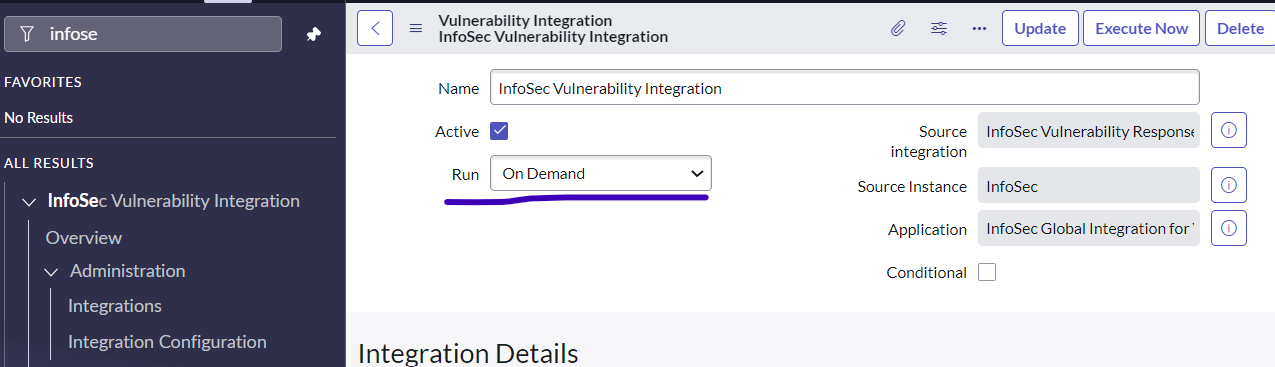
Click on InfoSec Vulnerability Integration.
-
Execute manually by setting Run to On Demand or select a schedule to run.
-
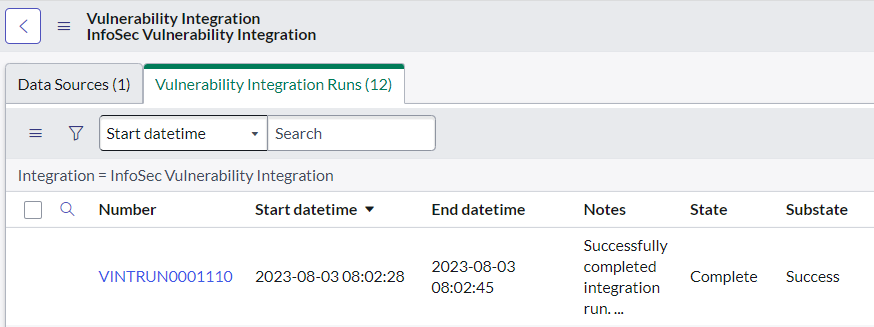
Scroll to the bottom to view the Vulnerability Integration Runs.
Run Vulnerable Items Integration
Execute the Vulnerable Items Integration to bring over AgileSec Vulnerable Items and Detections.
-
Navigate to InfoSec Vulnerability Integration > Integrations
-
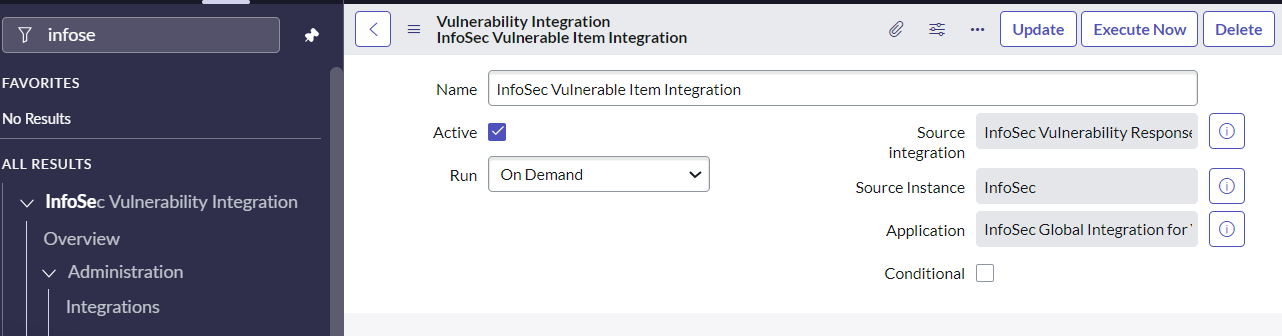
Click on InfoSec Vulnerable Item Integration
-
Execute manually by setting Run to On Demand or select a schedule to run.
-
Scroll to the bottom to view the Vulnerable Items Integration Runs.

Cryptographic Vulnerabilities
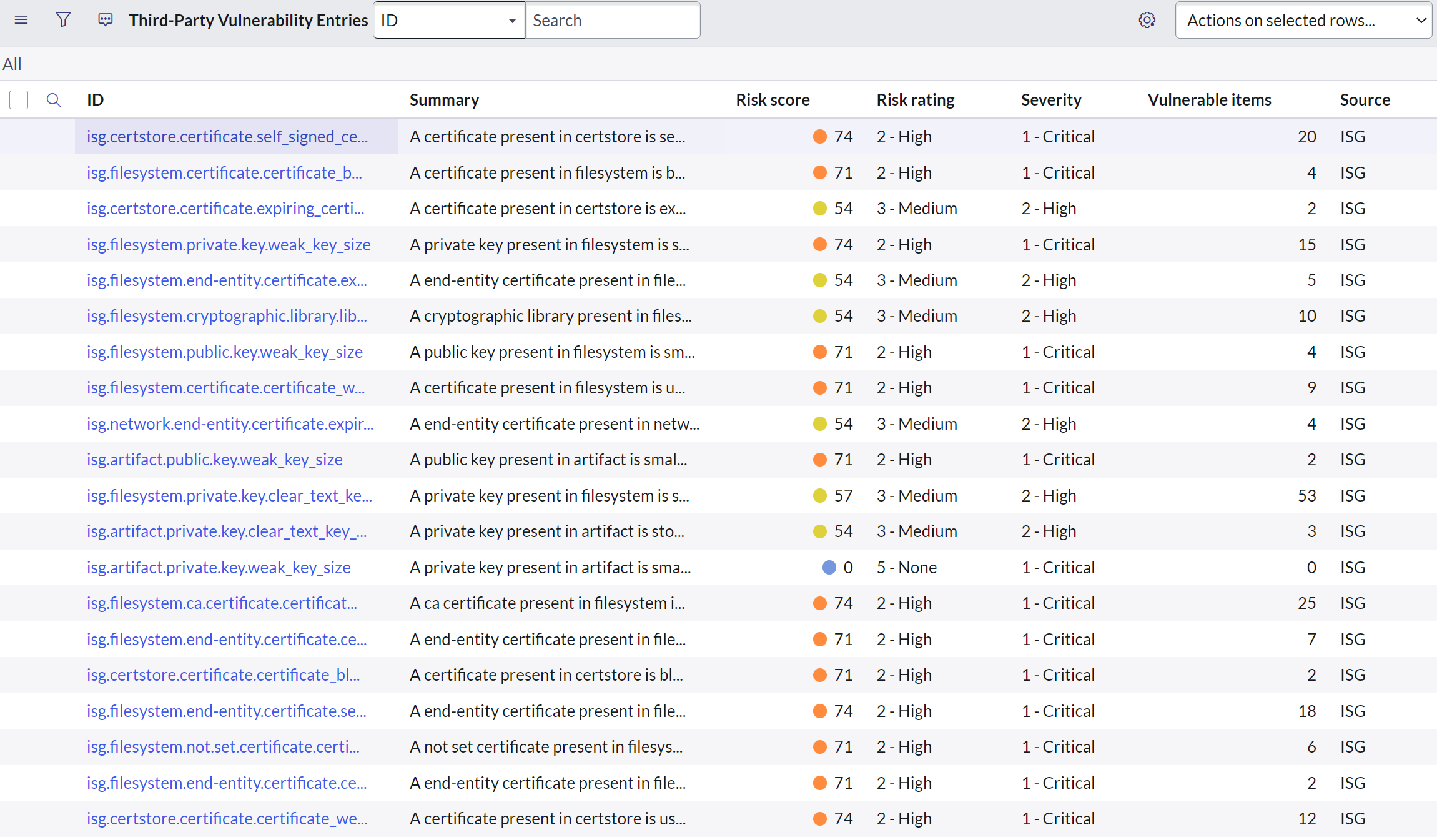
The summary of vulnerabilities imported by AgileSec Analytics can be accessed from Third Party Vulnerability Entries in ServiceNow.
Quickly filter AgileSec vulnerabilities based on the source field "ISG":
Vulnerability Details
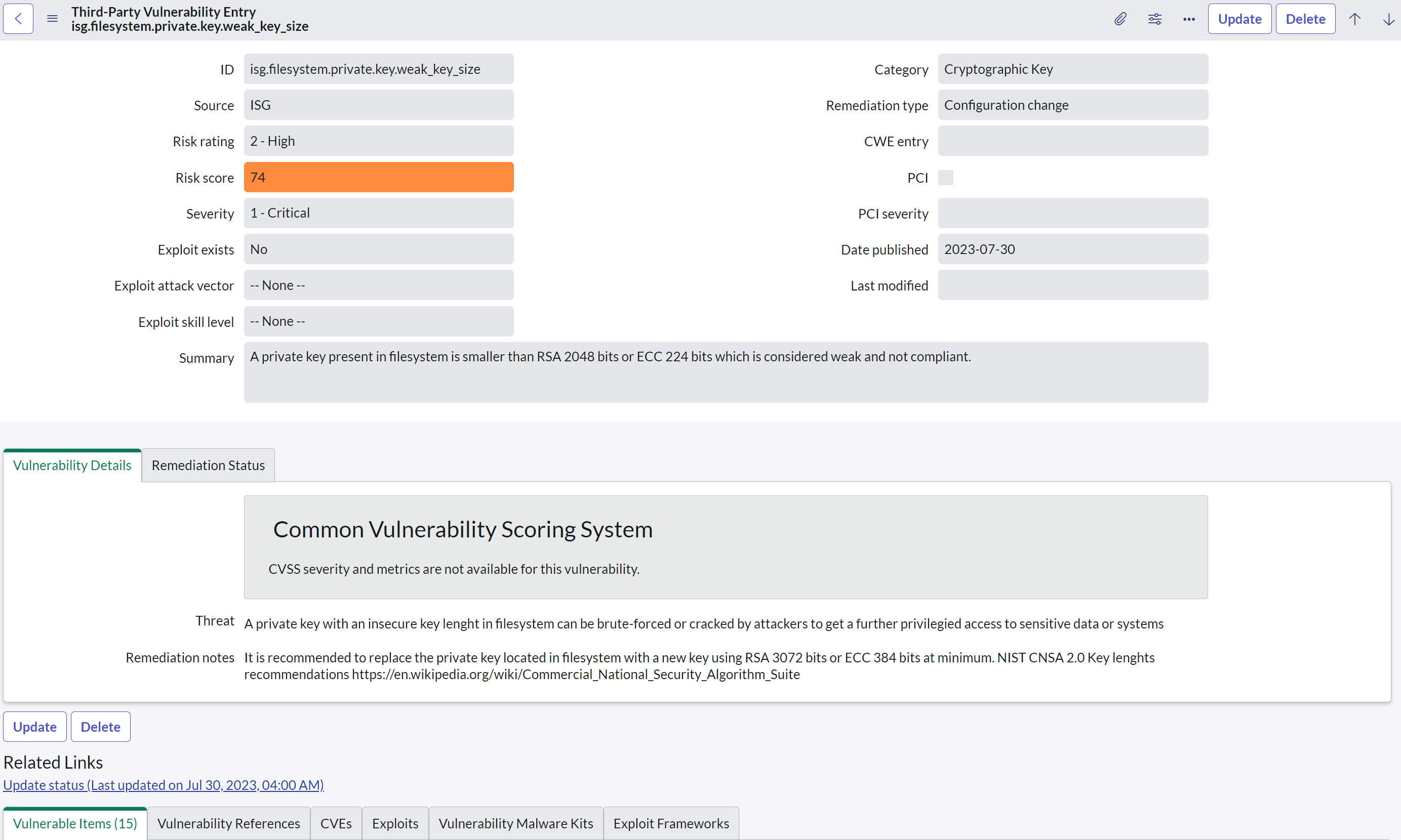
Vulnerability details displays additional information about the cryptographic vulnerability.
Note: The cryptographic vulnerability is not directly associated with a Common Vulnerabilities and Exposures (CVE), as this is a generic vulnerability for cryptographic material independent from the underlying applications or systems.
Fields
The Following fields are populated for vulnerabilities:
-
ID: Unique identifier for the vulnerability and its associated type.
-
Source: Source that has generated the vulnerability (always set to ISG).
-
Risk Rating: Technical risk rating.
-
Severity: Technical severity as reported by the AgileSec Analytics Server.
-
Category: Category of the cryptographic finding (i.e. Key, Certificate).
-
Remediation type: Type of remediation.
-
Summary: Summary of the vulnerability.
-
Threat: Potential threat associated with the vulnerability.
-
Remediation Notes: Potential remediations notes for the vulnerability.
-
Associated Vulnerable Items: List of associated vulnerable items.
Adding Source Type and Source Subtype to report
For any new InfoSec Vulnerabilities, custom fields Source Type and Source Subtype will be populated. If desired, these columns can be added to the list view.

Vulnerable Items
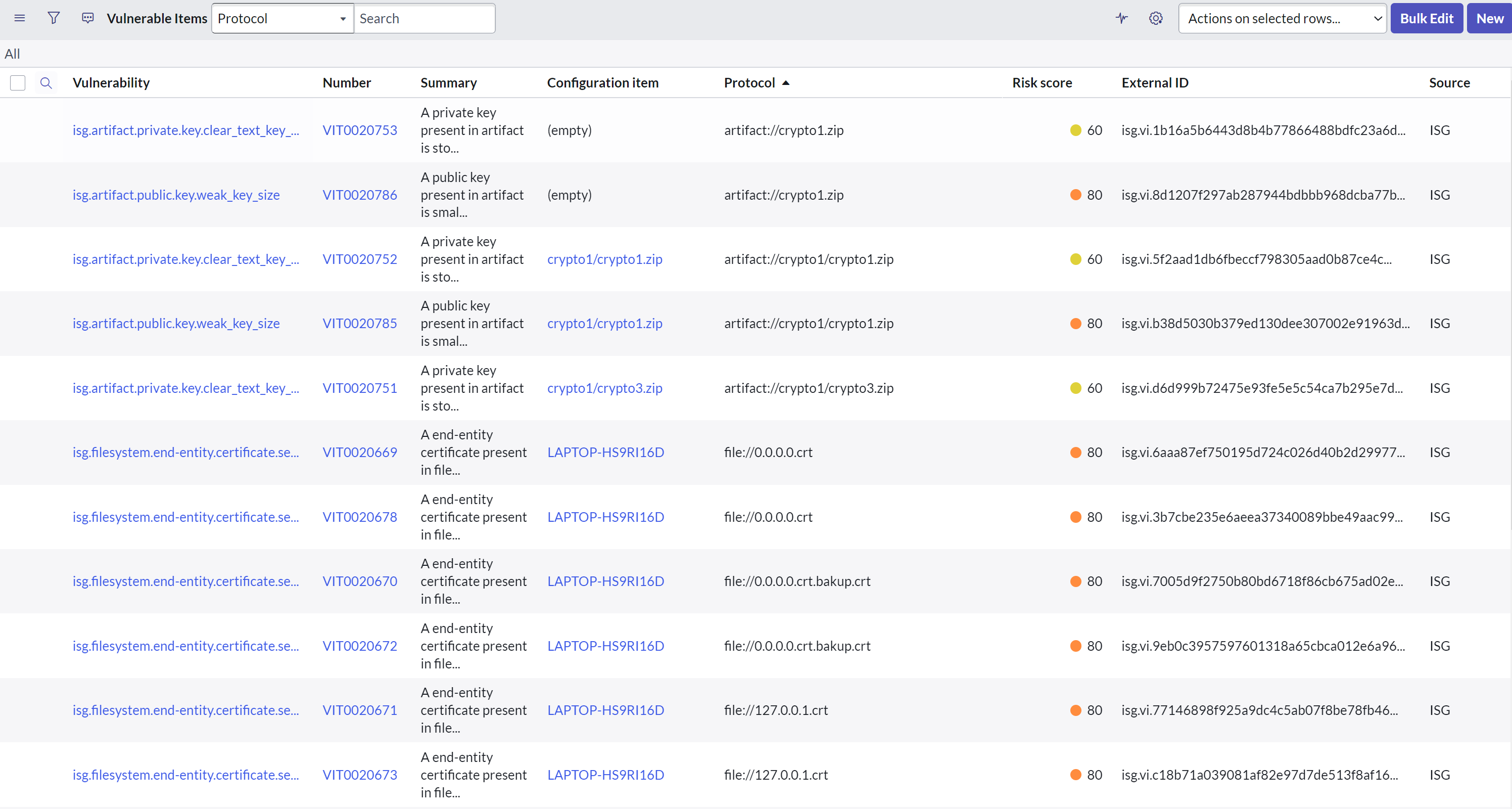
The summary of vulnerability items imported by AgileSec Analytics can be accessed from the Vulnerable Items list.
Vulnerable Items Details
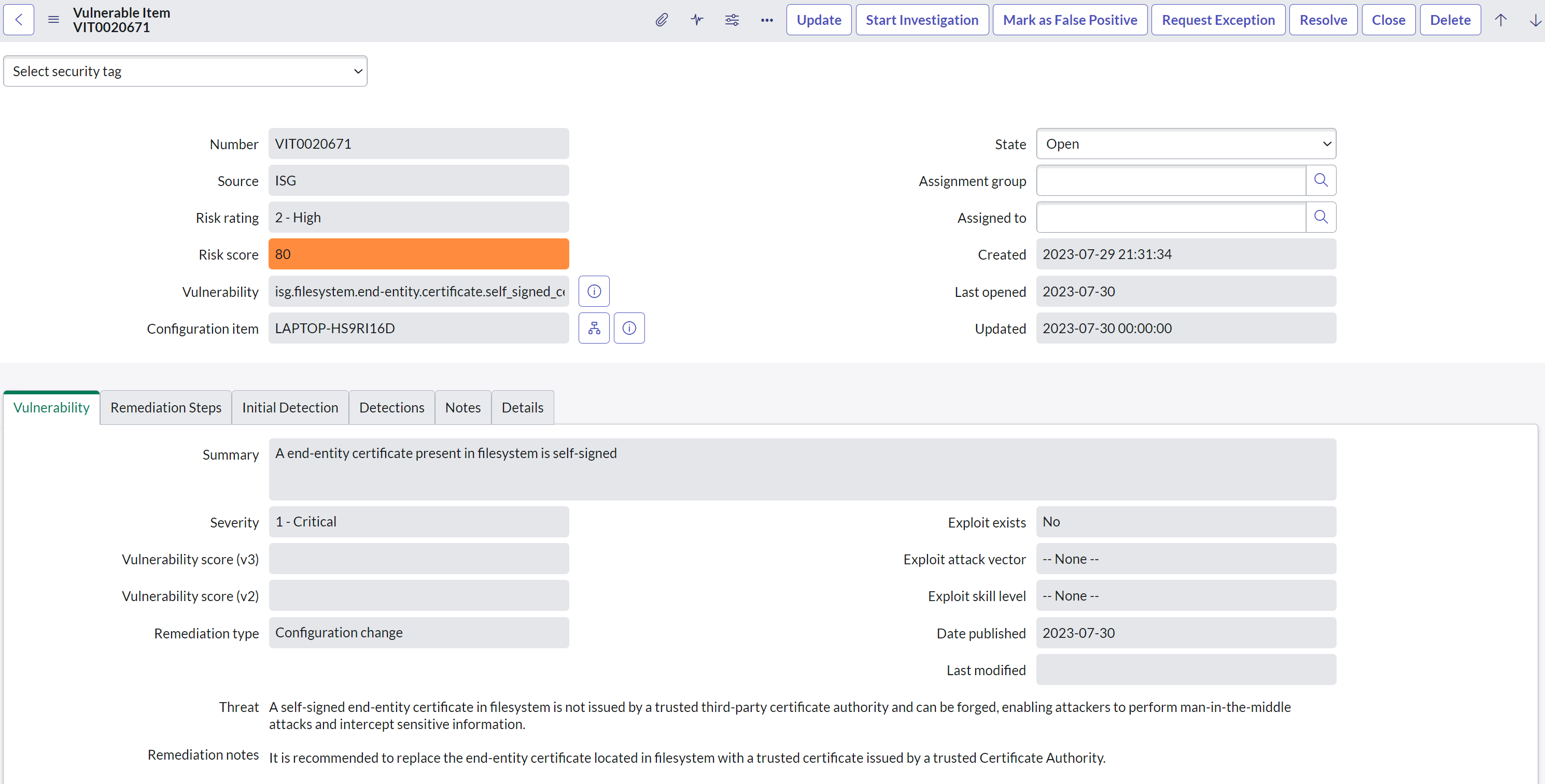
The Vulnerable Items details provide additional information about the vulnerable items found subject to a cryptographic vulnerability. The Configuration Item is set when matched.
Fields
The Following fields are populated for Vulnerable Items:
-
Associated Vulnerability. The Vulnerability associated with the Vulnerable Item.
-
Associated Configuration Item. The configuration item associated with the Vulnerable Item.
-
Associated Detections. The Detections associated with the Vulnerable Item.
Detections
In Vulnerable Items Details, the Detections tab shows a summary of detections for a single vulnerable item imported by AgileSec Analytics.
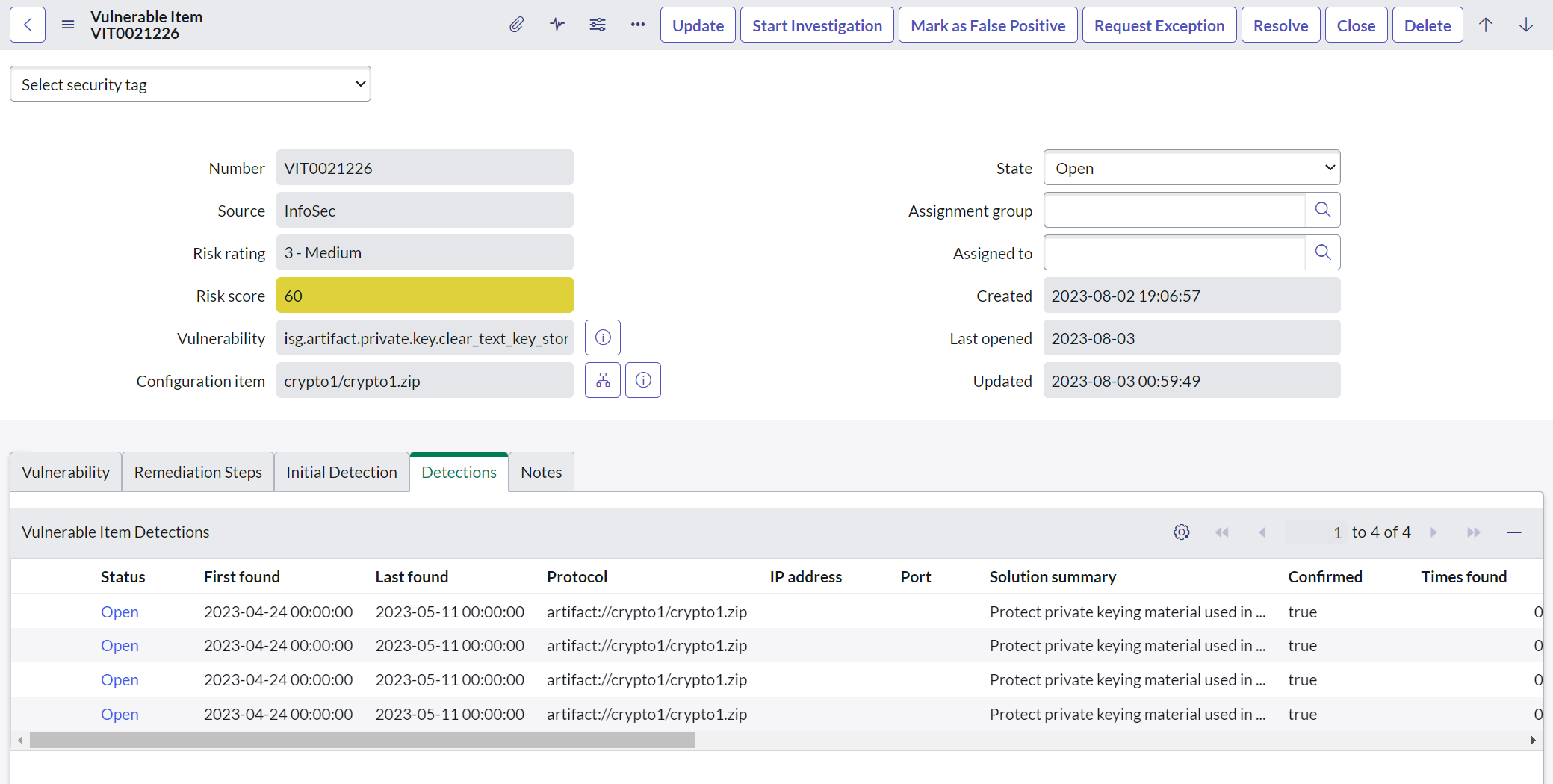
Detections Details
The Detections details displayed in ServiceNow provide information about Detections subject to a particular Cryptographic Vulnerability.
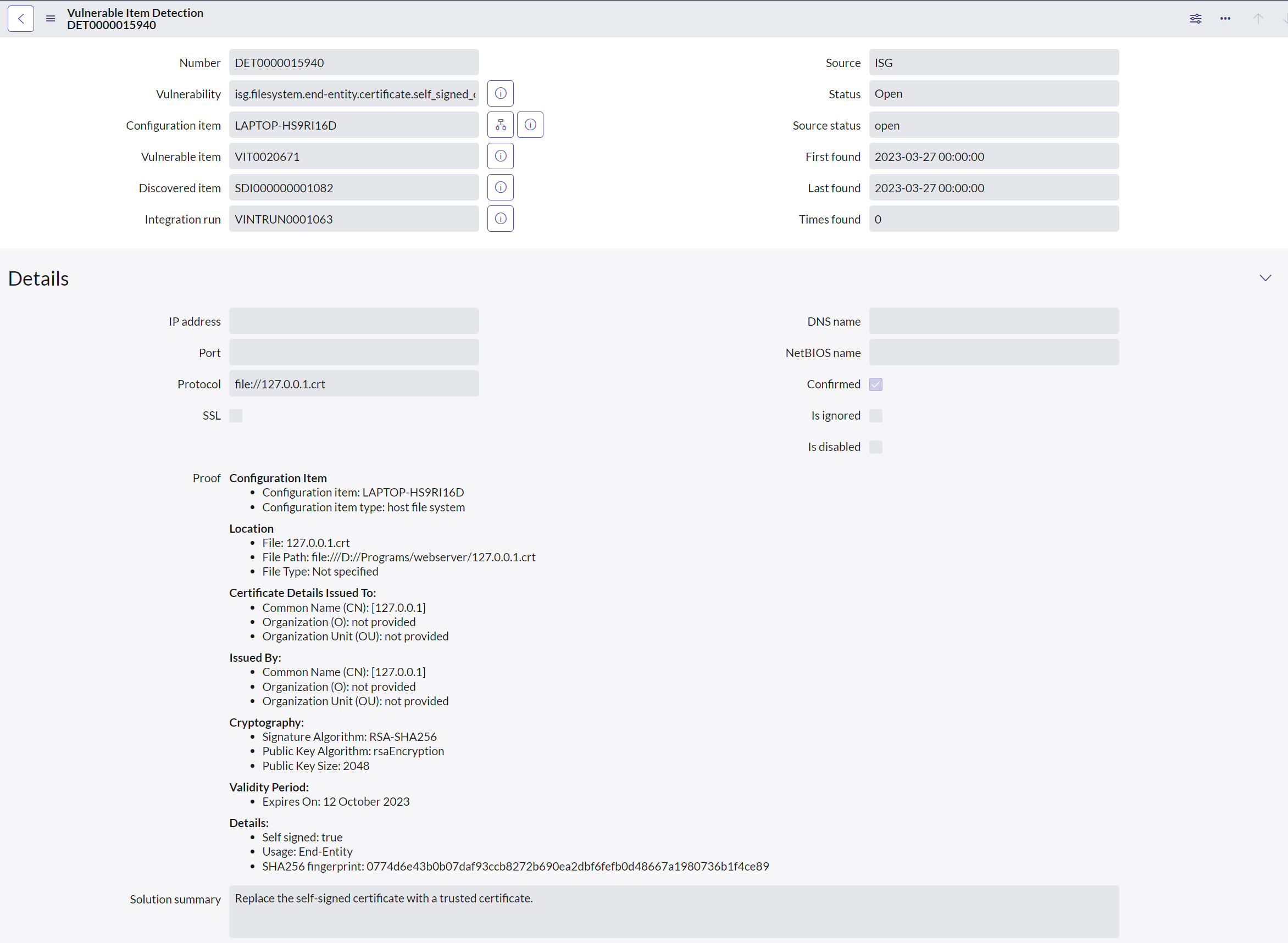
Vulnerable Items Detections Fields
The following fields are populated for Vulnerable Items Detections:
-
Associated Vulnerability: The vulnerability associated with the detection.
-
Associated Configuration Item: The configuration item associated with the detection
-
Associated Discovered Item: The discovered item associated with the detection.
-
Associated Integration Run: The integration run associated with the detection.
-
Details
-
IP address: When set, the IP address of a network-based cryptographic vulnerability.
-
Port: When set, the port impacted by the cryptographic vulnerability.
-
Protocol: Extended usage to support network protocols and others required by AgileSec (i.e. files)
-
DNS Name: Not used.
-
SSL: Not used.
-
NetBIOS Name: Not used.
-
Proof: Set to define detailed information about the finding and its exact location.
-
Solution Summary: Set to provide a summary of a potential solution.
-
Split Vulnerable Items by Proof
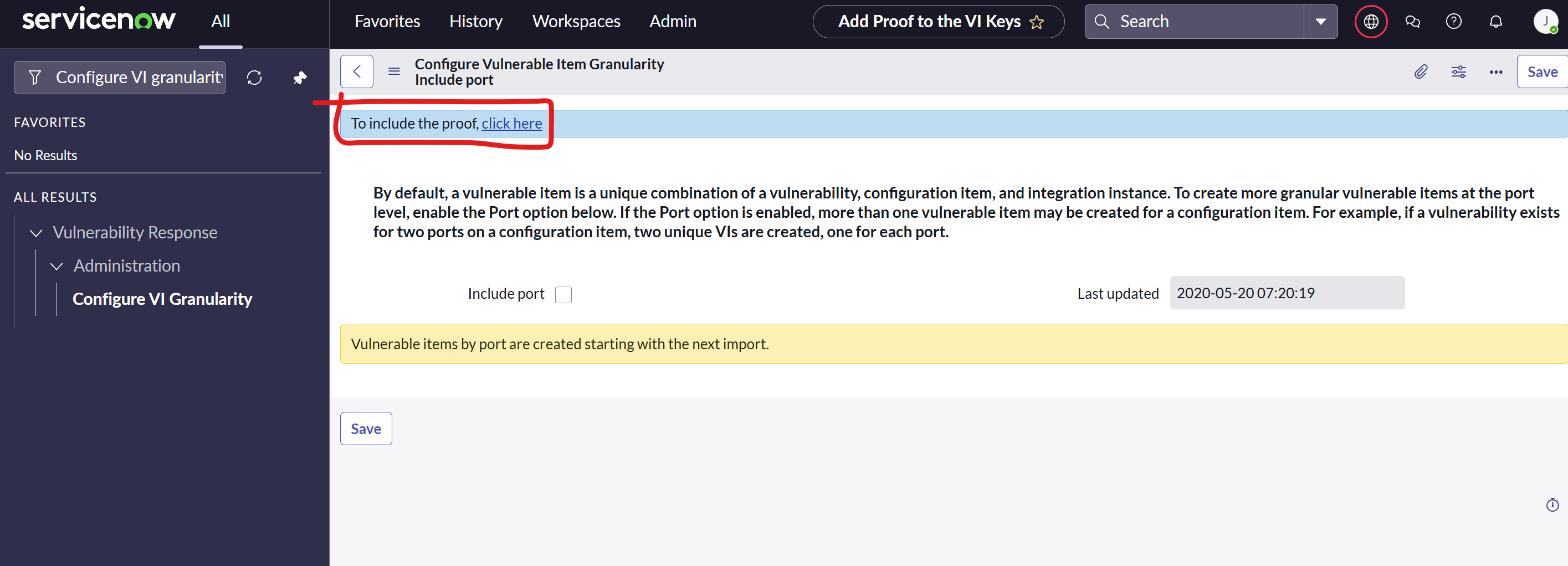
By default, ServiceNow aggregates all similar vulnerabilities for a given Vulnerability Item (Host). This means different files with the same issue will be reported under the same vulnerability detection. For more granularity, it is possible to use the feature "Add Proof to the VI Keys" of ServiceNow to create separate, independent Vulnerable Detections.
-
Go to Vulnerability Response > Administration > Configure VI Granularity
-
Click “To include the proof, click here”
-
Add List of Vulnerabilities to split by Proof one be one
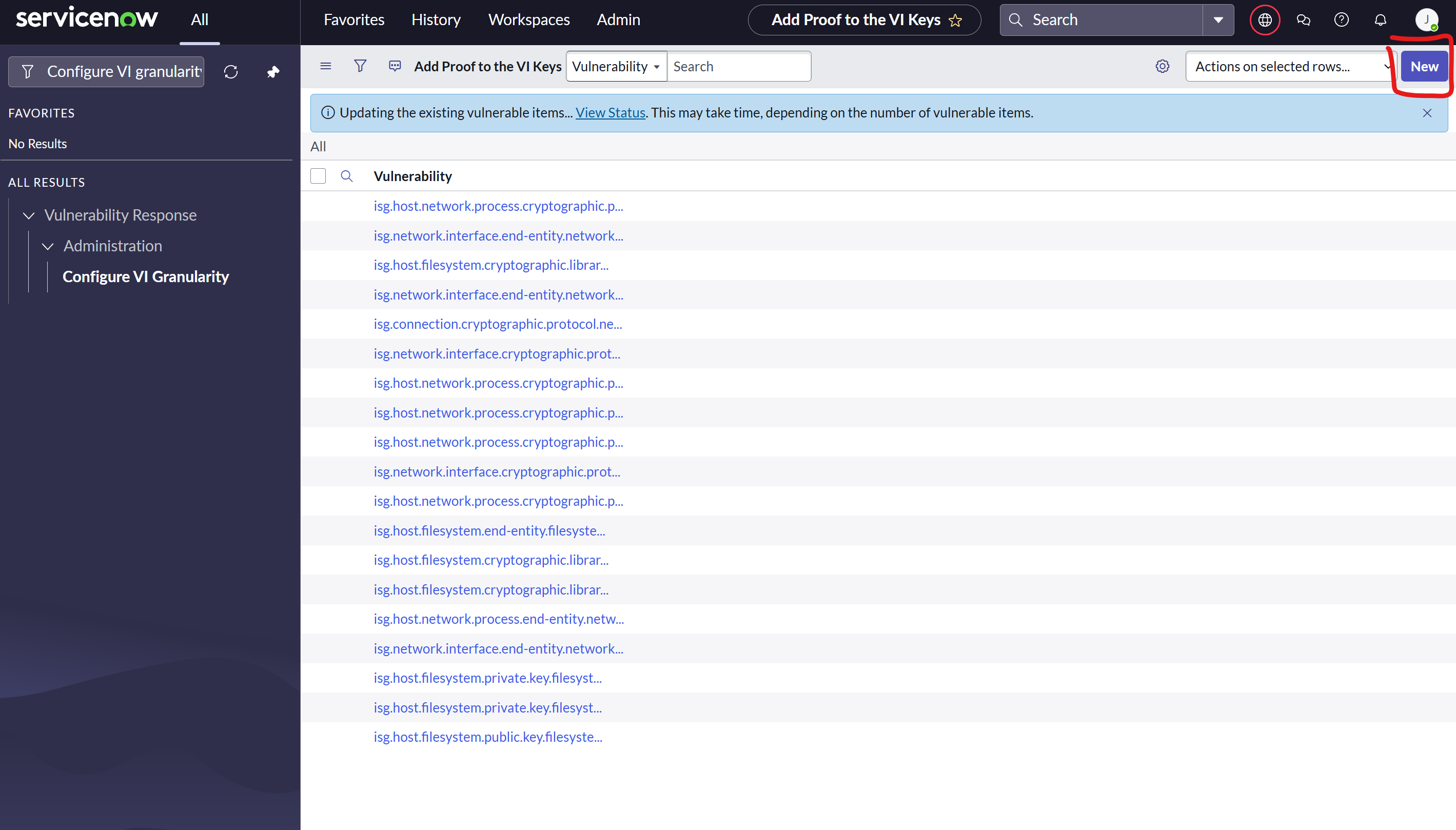
List of Vulnerabilities to Split
The below list includes all key vulnerabilities able to be split by Proof.
-
isg.host.filesystem.cryptographic.library.openssl3_vulnerable -
isg.host.network.process.cryptographic.protocol.network_protocol_ssh_insecure_mac -
isg.network.interface.cryptographic.protocol.network_protocol_tls_insecure_cipher -
isg.host.network.process.cryptographic.protocol.network_protocol_tls_insecure_kex -
isg.connection.cryptographic.protocol.network_protocol_tls_insecure_version -
isg.network.interface.end-entity.network_certificate_endentity_long_life -
isg.host.filesystem.cryptographic.library.library_old_version -
isg.network.interface.cryptographic.protocol.network_protocol_tls_insecure_version -
isg.network.interface.end-entity.network_certificate_endentity_self_signed -
isg.host.filesystem.cryptographic.library.openssl_heartbleed -
isg.host.filesystem.public.key.filesystem_weak_ssh_server_key_size -
isg.host.network.process.cryptographic.protocol.network_protocol_ssh_insecure_cipher -
isg.host.network.process.end-entity.network_certificate_endentity_self_signed -
isg.host.filesystem.private.key.filesystem_key_private_unprotected -
isg.host.network.process.cryptographic.protocol.network_protocol_tls_insecure_cipher -
isg.host.network.process.cryptographic.protocol.network_protocol_tls_insecure_version -
isg.network.interface.end-entity.network_expiring_certificate_30d -
isg.host.filesystem.end-entity.filesystem_corporate_certificate_endentity_long_life -
isg.host.filesystem.private.key.filesystem_weak_ssh_server_key_size
Perform Complete Data Reload
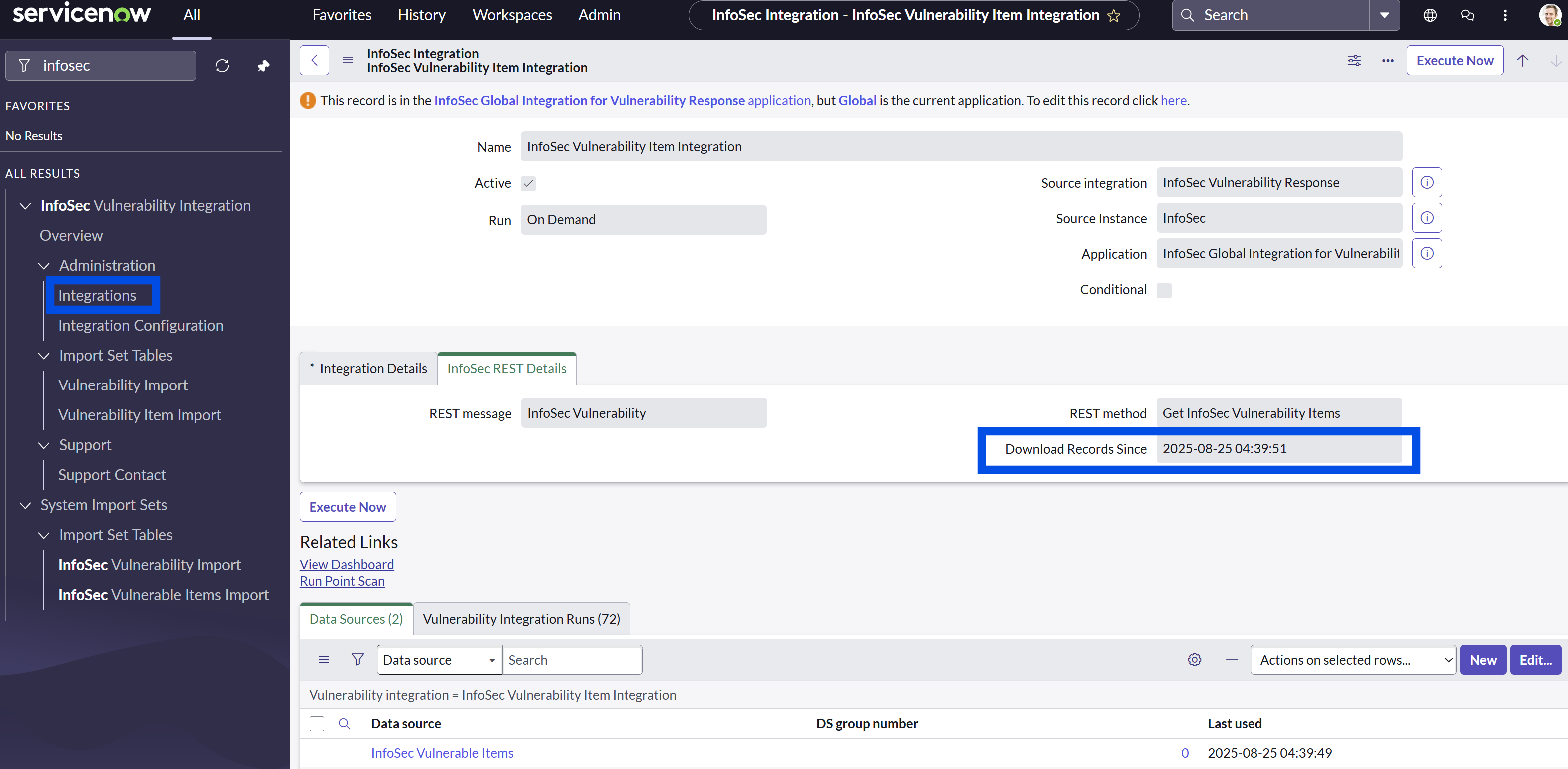
By default, the AgileSec ServiceNow Integration uses an incremental method to retrieve the alerts from AgileSec Analytics. To perform a complete reload of the information, clear the Download Records Since on the InfoSec Vulnerability Item Integration.