.png)
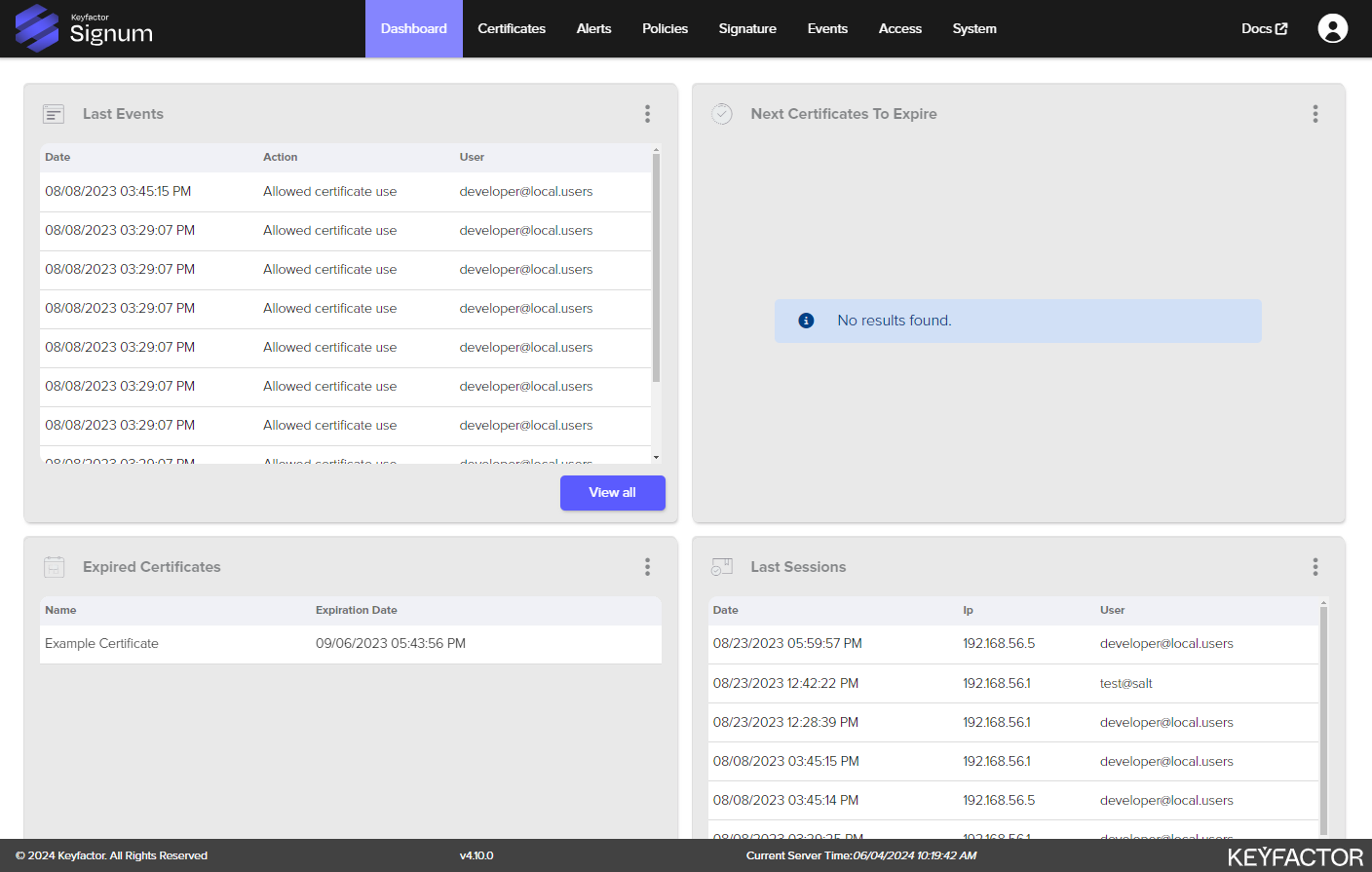
The Dashboard section of the Admin Web Console provides users an overview of recent activity on the platform in four configurable panels including:
-
Expired certificates
-
Upcoming certificate expirations
-
Recent events
-
Recent sessions
In the Last Events or Last Sessions panels, selecting See All brings up the Events section view with filters for usage or session events.
To view Last Events and Last Sessions, a user needs to be the Signum Administrator or have a role with “Event View” permissions. For more information, see Manage Product Roles.
In the Next Certificates to Expire panel, selecting See All brings up the Certificates section view.
Dashboard Layout
You can personalize your dashboard by configuring the panel appearance. This a custom view is specific to you, and does not apply to other users.
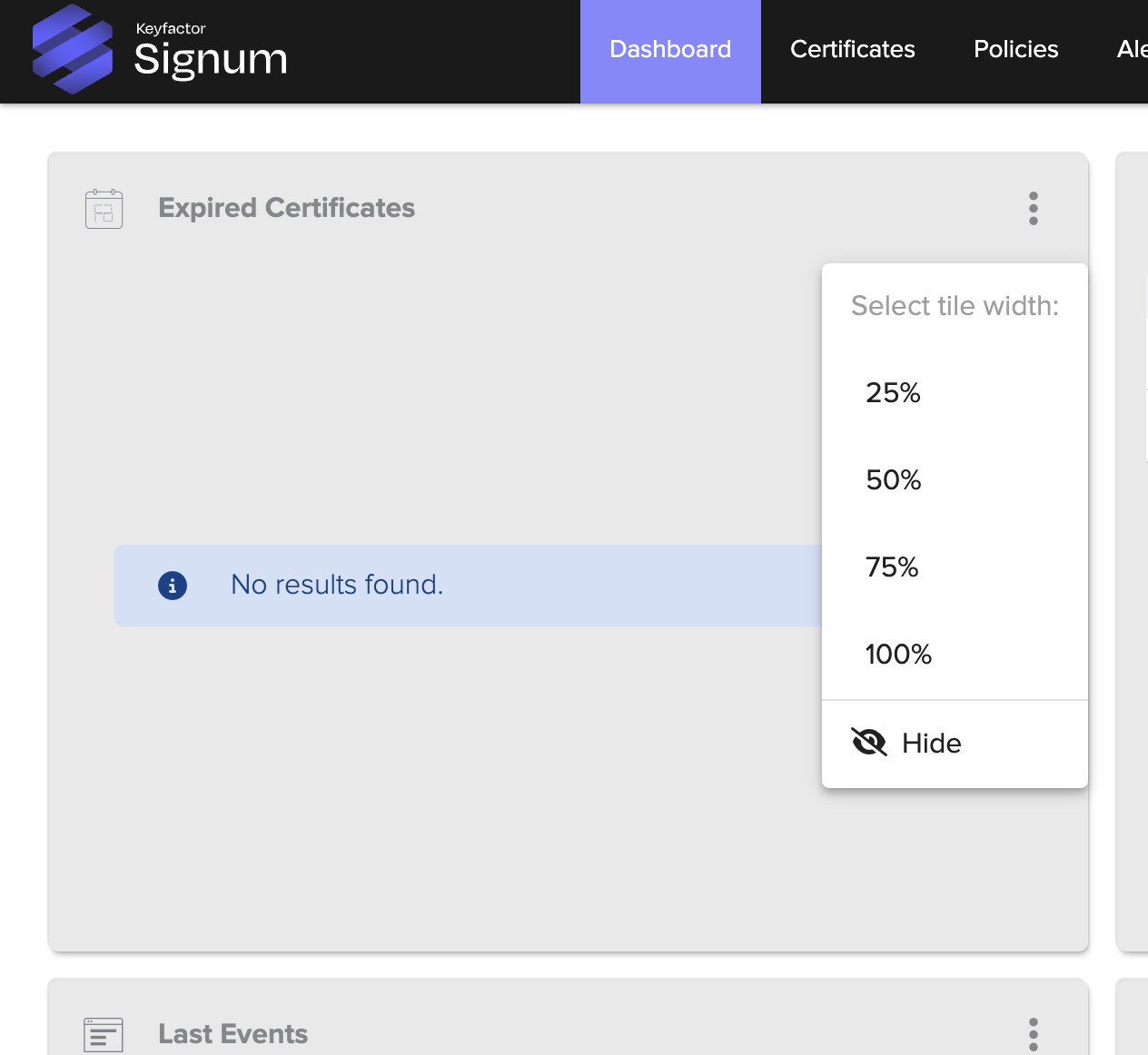
To configure the size of the dashboard panels, select the ellipsis button on a dashboard panel to change the tile width. If you hide the panel, an icon appears on the left side, which can be clicked on to open the panel again.
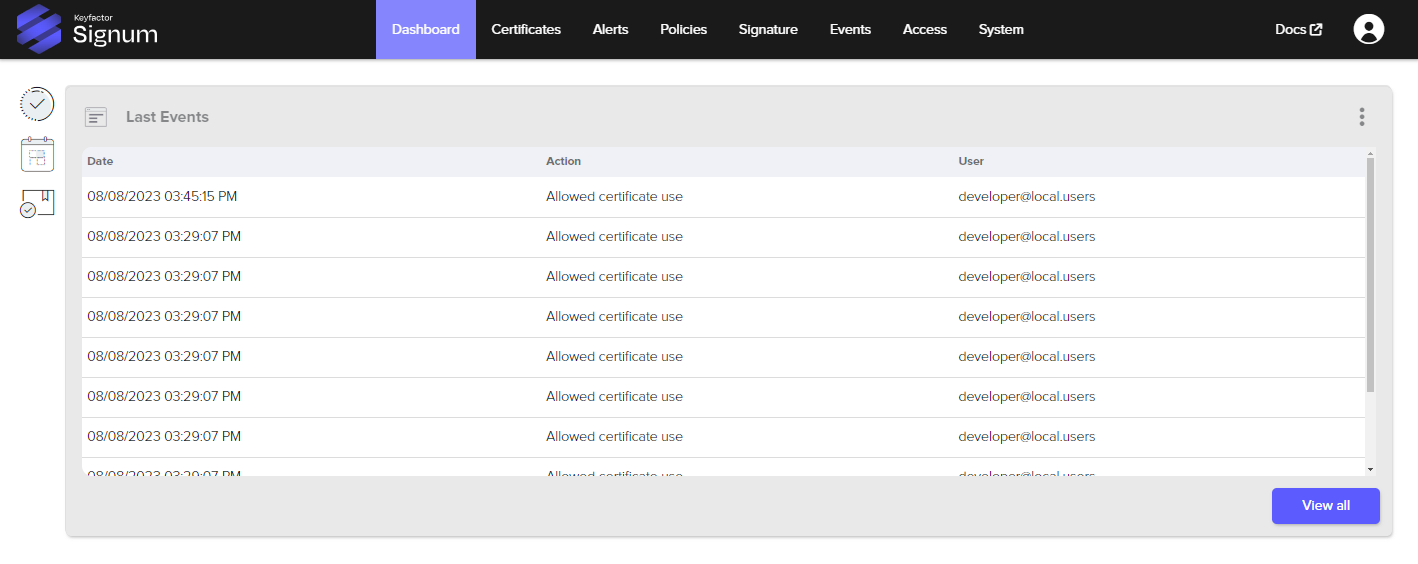
The following dashboard has the Last Events panel set to 100% width and the other panels are hidden: