.png)
Policies are the rules that control whether a signing operation is permitted. When a user attempts to sign with a certificate, Signum evaluates all policies that apply to that user and certificate combination before allowing or denying the request. No signing can occur unless at least one matching Allow policy exists, or the user is the certificate Owner.
While Roles control what a user can see and do in the Admin Web Console, policies control what signing operations they can perform. The two systems are separate: a user can sign without having a role, and a user with a role still cannot sign without a policy that permits it.
Each policy defines four attributes, referred to throughout the interface as What, Who, Where, and When:
|
Attribute |
What it controls |
|---|---|
|
What |
Which certificate or certificate group the policy applies to |
|
Who |
Which users or user groups the policy applies to |
|
Where |
Which applications on the client machine are permitted to use the certificate |
|
When |
The time schedule during which the policy is active |
A signing request must satisfy all four attributes for a policy to match. If any attribute does not match, the policy is skipped and the next one is evaluated.
How Policy Evaluation Works
When a signing request comes in, Signum evaluates all policies that match the request against the user, certificate, application, and time. Policies are evaluated in priority order, where 0 is the highest priority.
Do not assign policies with the same priority level to the same user or certificate. When two policies of equal priority match, the outcome is inconsistent.
Allow vs. Deny
Each policy has an Action of either Allow or Deny. A Deny policy explicitly blocks a signing operation, and an Allow policy permits it. When multiple policies match, the highest-priority policy determines the outcome. This means a high-priority Deny policy can override a lower-priority Allow policy for the same user and certificate.
Use Deny policies to carve out exceptions inside a broader Allow. For example: allow all users to sign with a certificate group at any time, but deny a specific user or application outside business hours.
The Owner exception
Every certificate has an Owner, who is the user who imported or generated it, unless ownership has been transferred. Owners can always sign with their certificate regardless of policies. This exception exists to ensure a certificate is never accidentally locked out by a misconfigured policy, but it also means ownership should be assigned deliberately. To view or change ownership, See Certificate List.
No matching policy = denied
If no policy matches a signing request, because none exist, all are disabled, or none cover the user/certificate/application/time combination, the request is denied. This is intentional: Signum defaults to deny. If users report they cannot sign and no error is obvious, check that at least one enabled Allow policy covers them.
Policy and Role Ownership
Every policy is owned by exactly one role. By default, a policy is owned by the role of the admin who created it. Only users in that role can view and edit the policy in the Admin Web Console. However, the policy can still be applied to users outside that role.
The Signum Administrator account can reassign policy ownership to a different role. A policy can only be owned by one role at a time, and reassigning it removes it from the previous role's view. See Policy Operations for how to reassign ownership.
Policies Tab
The Policies tab in the Policies section is where you can enable, disable, and assign policies. By clicking on the actions button of a policy, different actions can be performed.
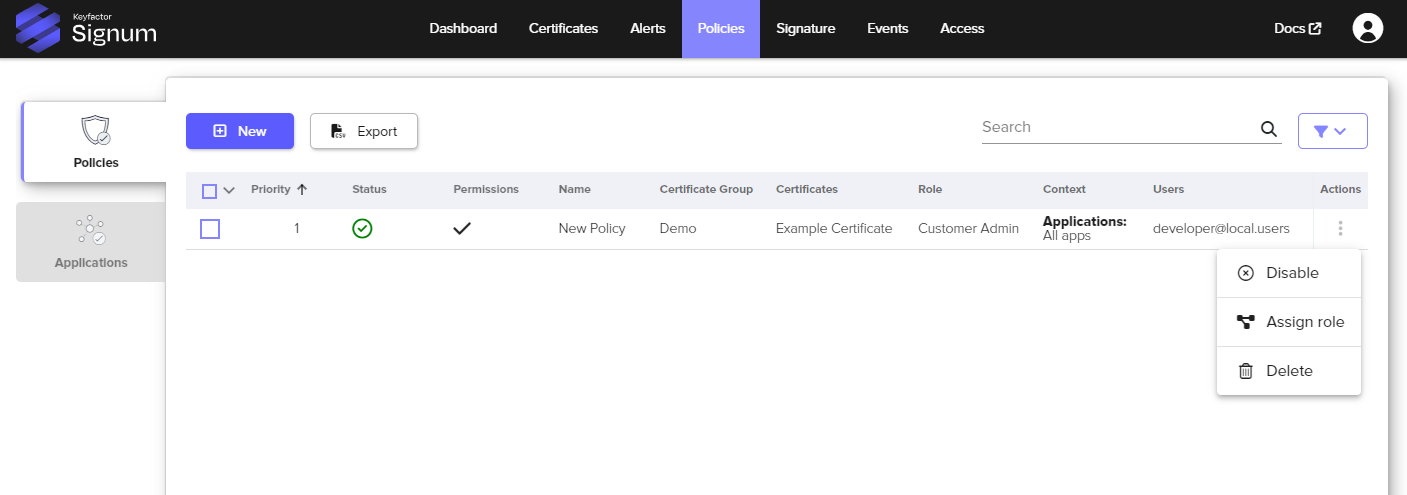
|
Setting |
Description |
|---|---|
|
Enable and Disable |
Enables or disables the policy. |
|
Assign a policy to Roles |
By default, a policy is assigned to the role that created it. Only users belonging to that role with the proper permissions can view and modify the policy, though the policy may still be applied to other users that are not associated with the role that is assigned to the policy. The Signum Administrator account can be used to change the assigned role of a policy. A policy can be associated with one and only one role, so assigning it to a new role means unassigning it from the current one. |
|
Delete |
Permanently deletes the policy. |
For configuration information, see Create a Policy.
Applications Tab
The Applications tab in the Policies section is where Applications, Process, or Command Line Regular Expressions (RegEx), can be defined. These Application groups can be applied to policies allowing granular control over what application on the client machine is allowed or prohibited from using the certificate associated with the policy.
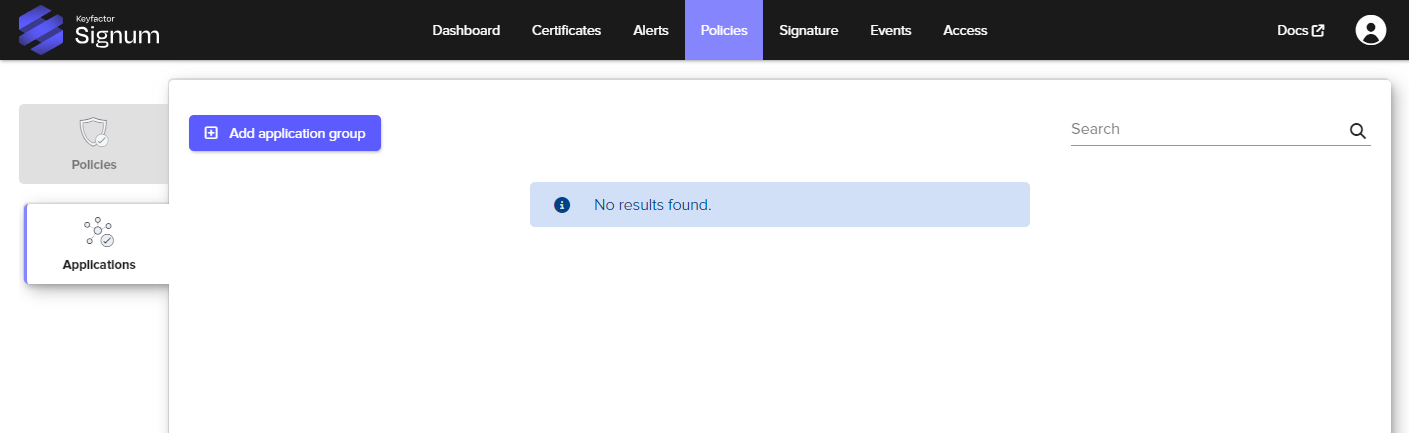
For configuration information, see Create an Application Group.