.png)
Certificate Groups are collections of signing certificates, and live in the Certificates section. Their purpose is to control which certificates the users of a Role can see and manage in the Admin Web Console, meaning which certificates those users can assign to policies. A certificate must be in a group before any non-administrator user can assign it to a policy.
Certificate Groups are created and managed exclusively by the Signum Administrator, either during the Role creation process or here from the Certificate section.
Because of how Certificate Groups are assigned to Roles, the certificates need to be a part of a group for other users to be able to effectively use them and assign them to policies.
Create a Certificate Group
Certificate groups can be created either from the Certificates section (described here) or during the role creation wizard in Step 4. Both methods produce the same result.
-
In the Admin Web Console, navigate to Certificates and open the Groups tab.
-
Click Add Certificate Group.
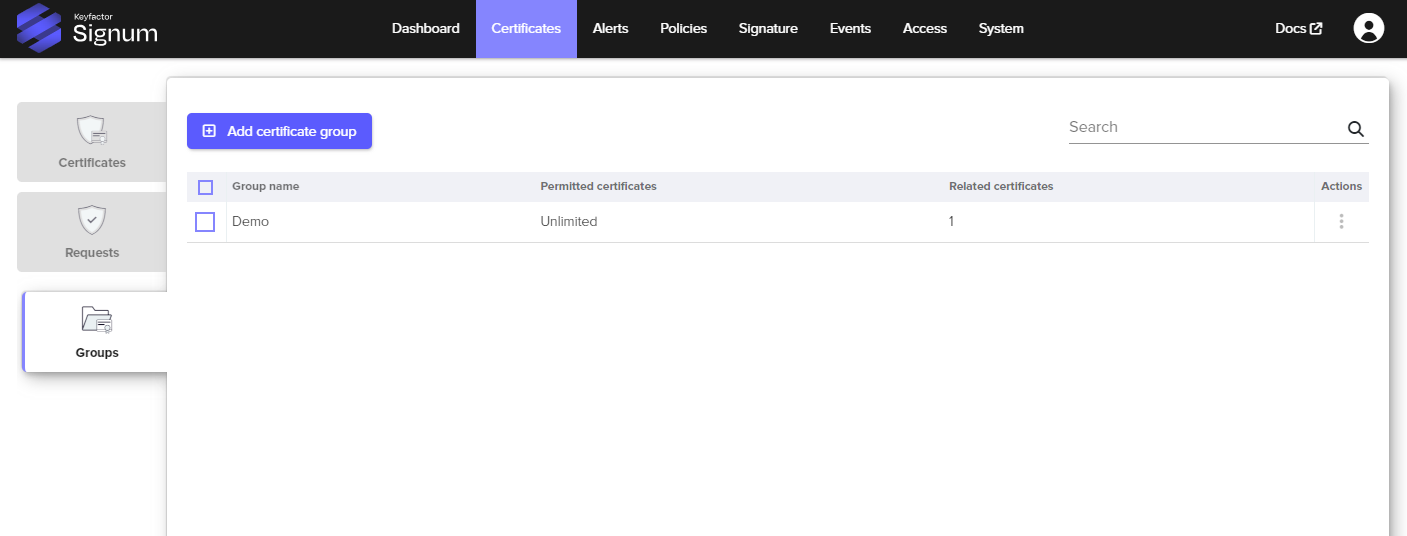
-
Enter a name for the group. Choose a name that reflects the set of certificates it will contain, for example,
engineering-codesignorproduction-signing. -
Optionally set a Certificate Limit to cap the number of certificates that can be added to this group.
-
Select Apply. The group appears in the Groups tab.
Once created, certificates can be added to the group during the CSR and import process or directly from the Certificate List.
Adding a certificate to a group automatically assigns it to the policy of that group.
Assign a Certificate Group to a Role
A certificate group has no effect until it is assigned to at least one role. To assign a group to a role, see Step 4 of Creating a Role. When assigning the group to a role, you also set the permissions users in that role have over the group's certificates: Add, Remove, Assign to Policies, or None (view only).
For more information, see Certificate List.
Relationship to Policies
When a user with a role creates or edits a policy, they can only select certificates from the groups assigned to their role. This is what the Certificates (What) step in the policy wizard searches across. If a certificate a user expects to see is not appearing in the policy wizard, the most likely cause is that it has not been added to a group that is assigned to their role.