.png)
The Client Auth Certificates tab allows the Signum Administrator to manage certificates that can be used for authenticating users in Certificate User Domains.
Users assigned to a Role with Manage access to User Certificates can also manage the client auth certificates.
For a guide to set up authentication, see Use Certificate-based Authentication.
In the Certificates tab, you can:
-
Upload certificates to make them available for use with any Certificate Domain user.
-
Download the certificate as a .cer file.
-
Permanently delete certificates that are no longer needed.
-
Install the certificates in the host machine.
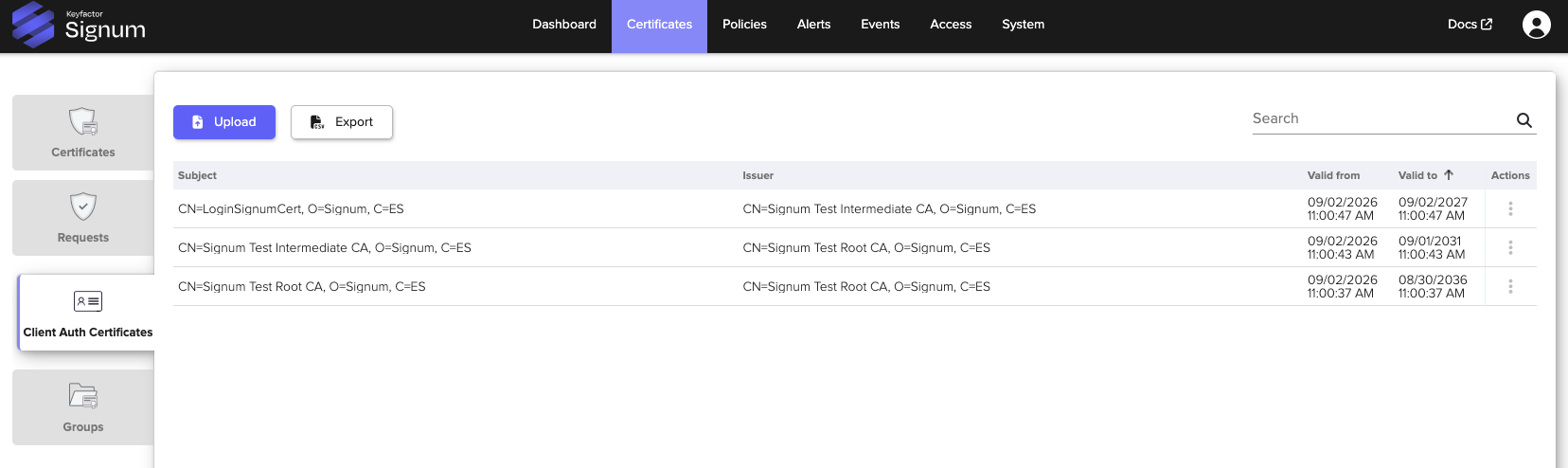
The table in the Client Auth Certificates tab provides the following data for each uploaded certificate:
|
Item |
Description |
|---|---|
|
Subject |
The name of the certificate. |
|
Issuer |
The issuer of the certificate. |
|
Valid from / Valid to |
The dates of validity. |
|
Actions |
The ellipsis button provides actions to:
|
To view certificate data such as the serial number, thumbprint, and signature algorithm, click on the certificate name to bring up an overview window.