.png)
The Events section of the Signum Admin Web Console gives authorized users a detailed view of application and client activities with the Events log and the System log.
-
Events Log: Shows certificate usage events. The log keeps the most recent 500,000 events. For long term event storage, use Splunk or Syslog. See Services.
-
System Log: Shows Admin Web Console activity. When a remote user or agent attempts to access a certificate or perform an action in the Admin Web Console, that usage is logged and displayed in the web console where it can be viewed or exported. If you have Splunk configured, the System logs are automatically sent to Splunk.
The Signum Administrator can view the Events and System logs, while the Signum Viewer can only view the Events. For more information, see Manage Product Roles.
Events Log
The Events tab in the Events section of the Admin Web Console is where certificate usage activities from the clients are logged.
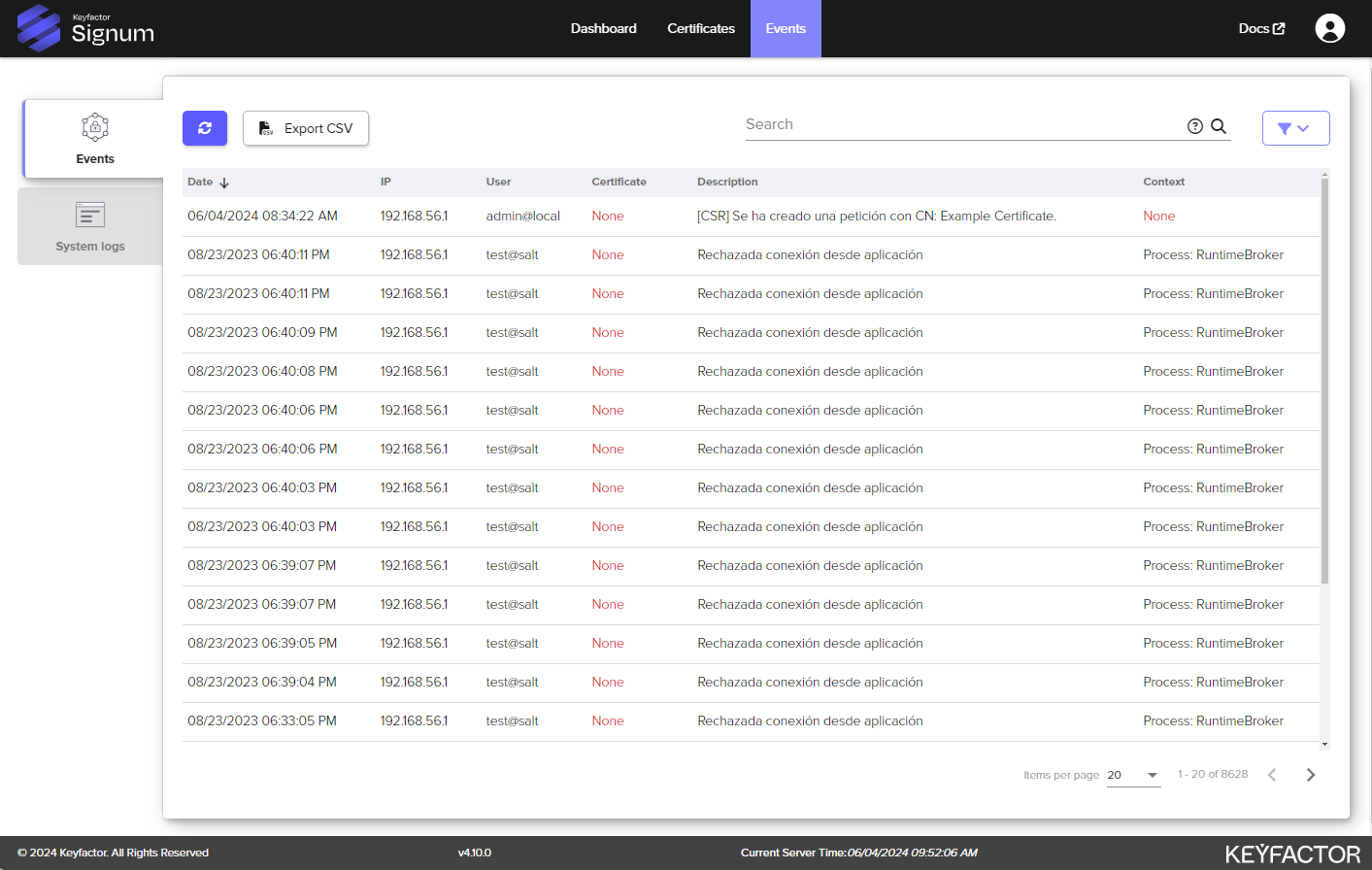
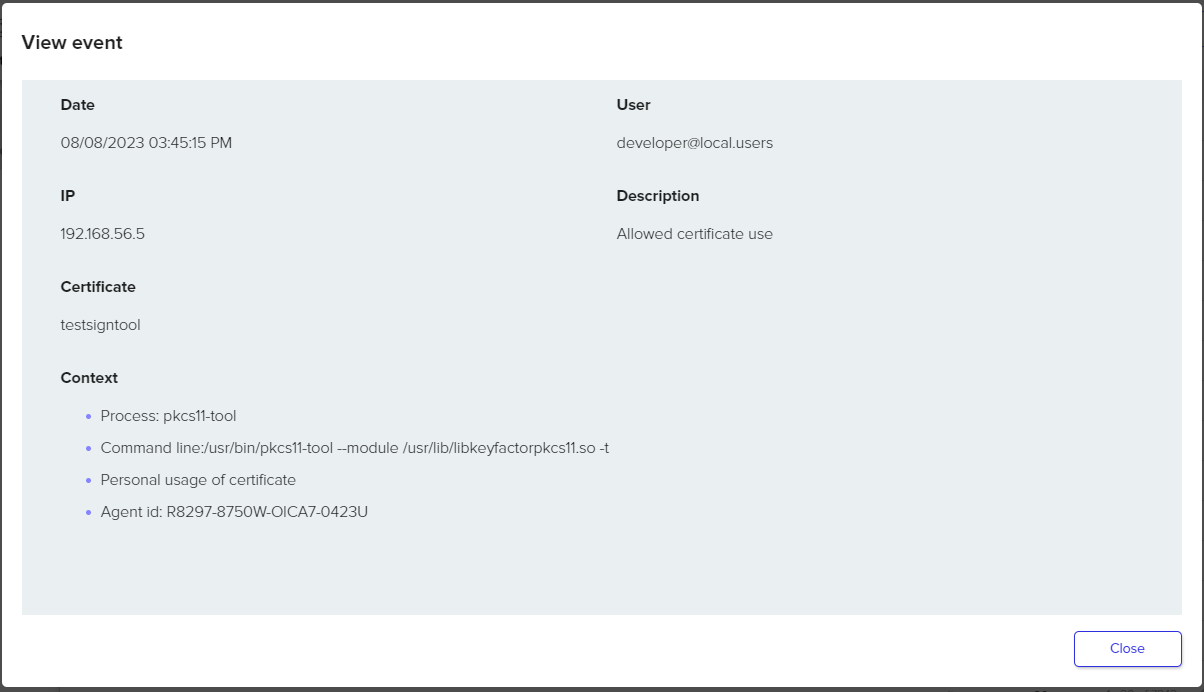
Selecting an individual event brings up additional information about that event:
|
Event Log |
Description |
|---|---|
|
Date |
Date of the event |
|
User |
User logged into the client agent when the certificate was use |
|
IP |
External IP address of the client |
|
Description |
If the policy allowed or denied permissions |
|
Certificate |
What certificate was used. |
|
Context |
|
System Log
The System Log shows Admin Web Console activity, with data on recent user logins:
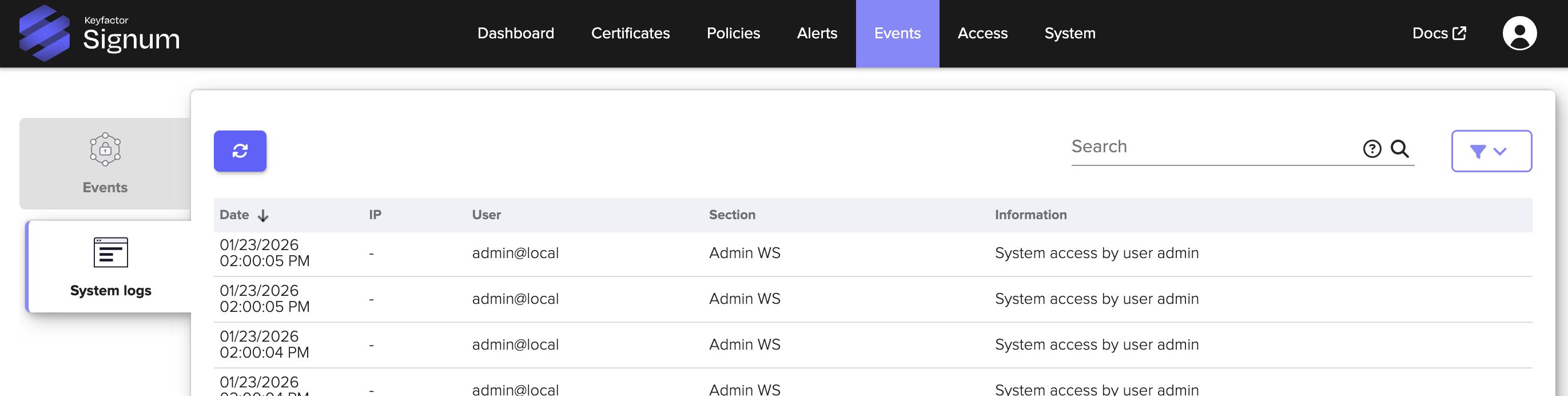
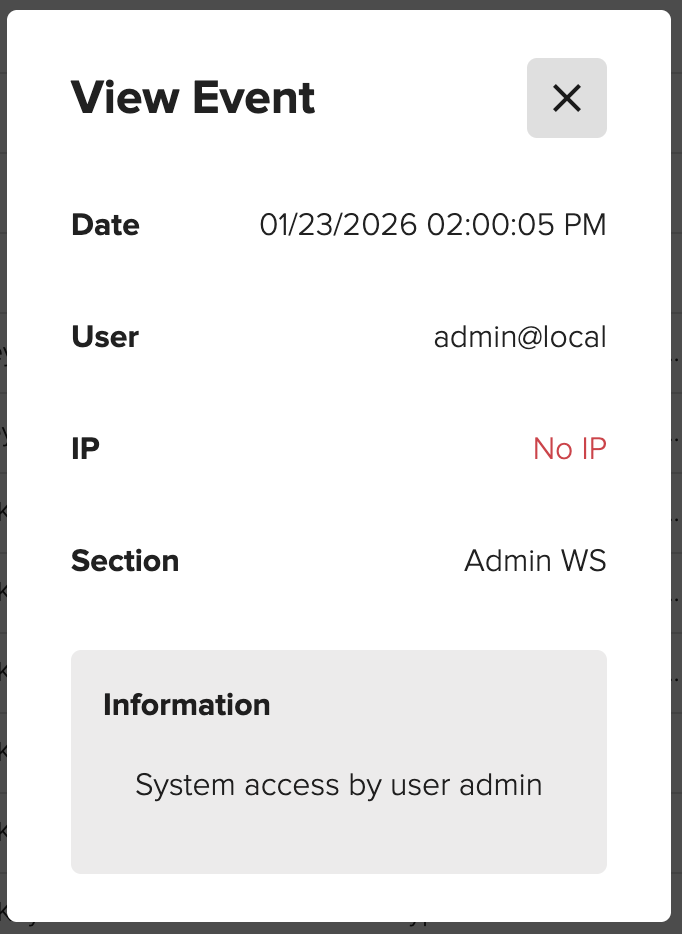
Selecting an individual event brings up additional information about that event:
|
System Log |
Description |
|---|---|
|
Date |
Date of the event |
|
User |
User logged into the client agent when the certificate was used |
|
IP |
External IP address of the client |
|
Section |
Where the activity occurred |
|
Information |
Information about the event, such as if the policy allowed or denied permissions |