.png)
After importing a certificate, you can view and edit certificate data and complete quick actions.
Users assigned to the Signum Viewer role can only view the certificate data.
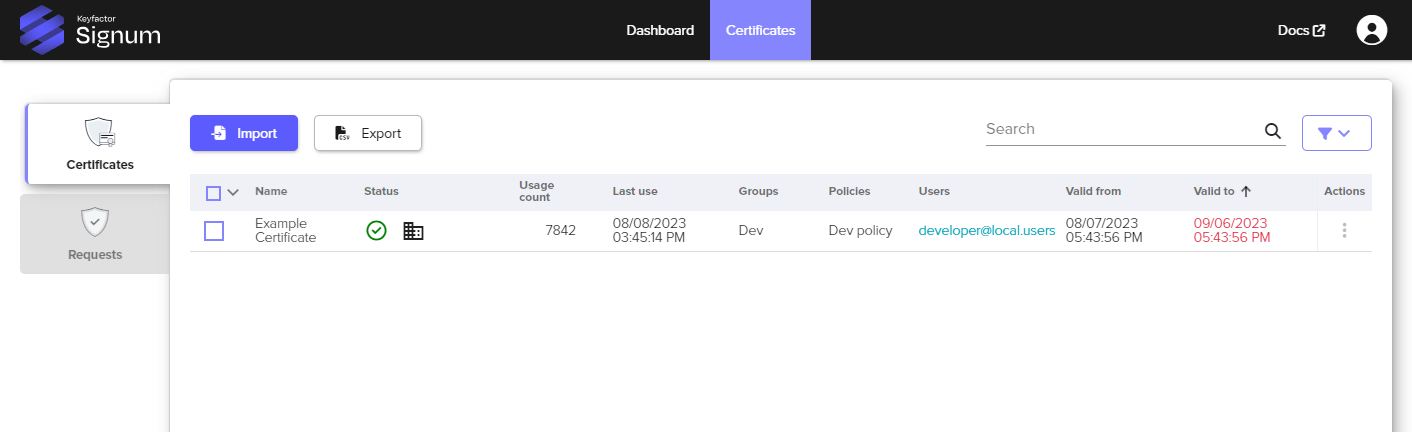
Certificate Data
|
Item |
Description |
|---|---|
|
Name |
The alias of the Certificate. |
|
Status |
Information regarding the status of the following:
|
|
Usage Count |
The number of times the certificate has been used for signing. |
|
Last Use |
The last time and date of use (in UTC). |
|
Groups |
The certificate groups this certificate is associated with. |
|
Policies |
The policies this certificate has been assigned to. |
|
Valid To |
Certificate Expiration Date. |
Quick Action Options
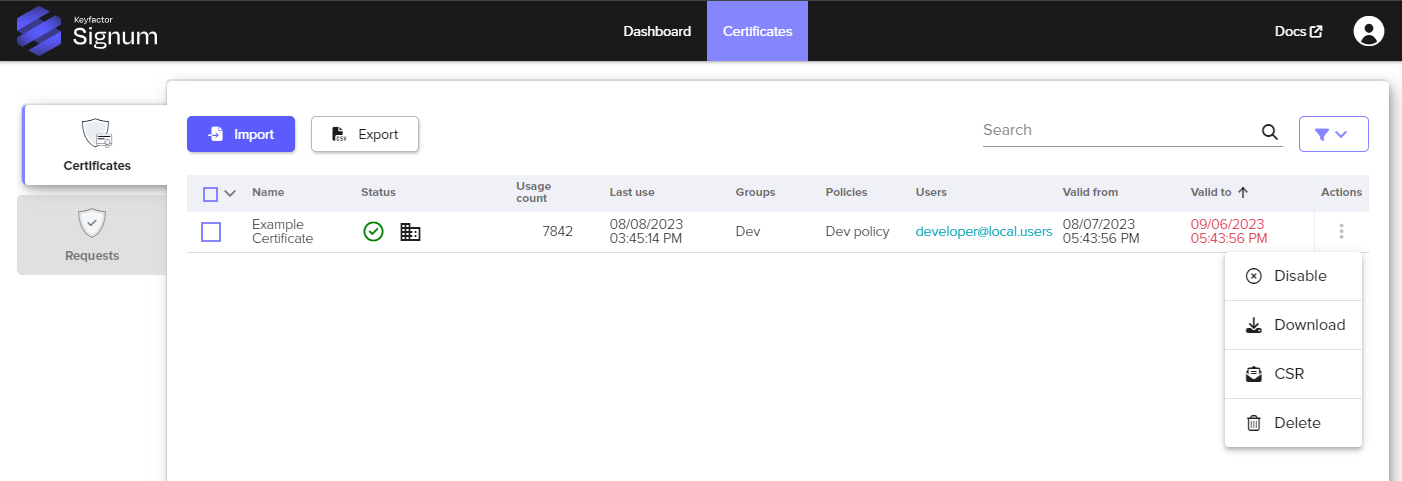
Access the Quick Actions by clicking on the actions button of the certificate and selecting the appropriate option:
|
Quick Action Icon |
Description |
|---|---|
|
Enable / Disable |
An enabled certificate is available to be used by owners or based on assigned policies. A disabled certificate cannot be used regardless of any policies or ownership. |
|
Download |
Downloads the certificate as a .cer file. |
|
CSR / Renew |
Choosing to renew a certificate brings up the Generate CSR Wizard. See Generating a Request. The old certificate will continue to be available for use until the new certificate is imported against the new request. This method allows for easy mapping of existing policies and configurations when keys need to be renewed. |
|
Delete |
Permanently deletes the certificate and associated private key material. |
From the Certificates view, you can also perform actions on individual or multiple certificates by selecting the checkbox either next to the certificate or on the table header.
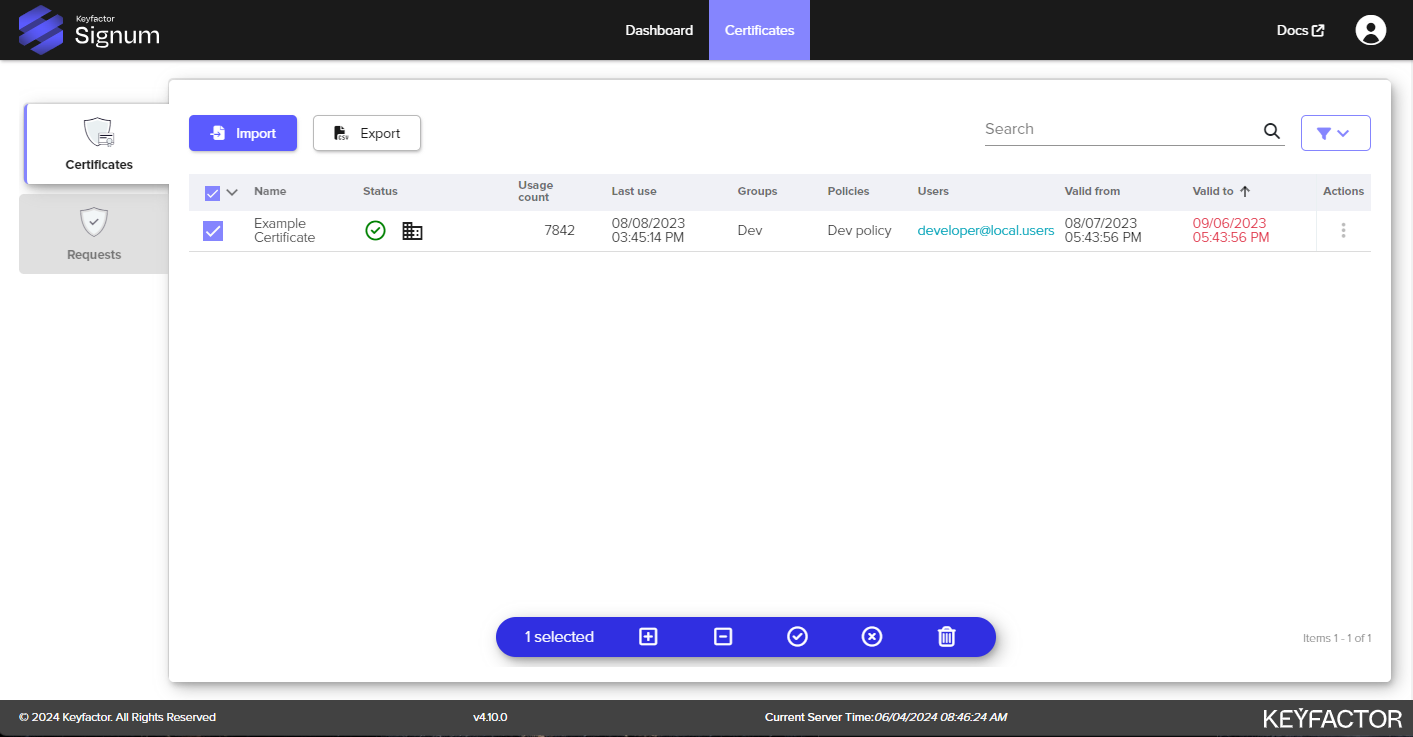
|
Quick Action Icon |
Description |
|---|---|
|
|
Adds a certificate to the selected certificate groups. To perform this function, the user needs to have the role permission assigned to add to certificate groups. See Creating a Role for more information. Adding a certificate to a group automatically assigns it to the policy of that group. |
|
|
Removes a certificate from the selected certificate groups. To perform this function, the user needs to have the role permission assigned to remove certificates from groups. See Creating a Role for more information. Only the Signum Administrator can remove all group assignments from a certificate. |
|
|
An enabled certificate is available to be used by owners or based on assigned policies. |
|
|
A disabled certificate is inaccessible to the Signum Agents for signing. Even if the authenticated user is the “Owner” of the certificate, none of the remote Agents can access the certificate. |
|
|
Permanently deletes the certificate and associated private key material. |


Certificate Detail View
Additional options for managing and viewing details about individual certificates can be found by selecting the certificate from the Certificates tab.
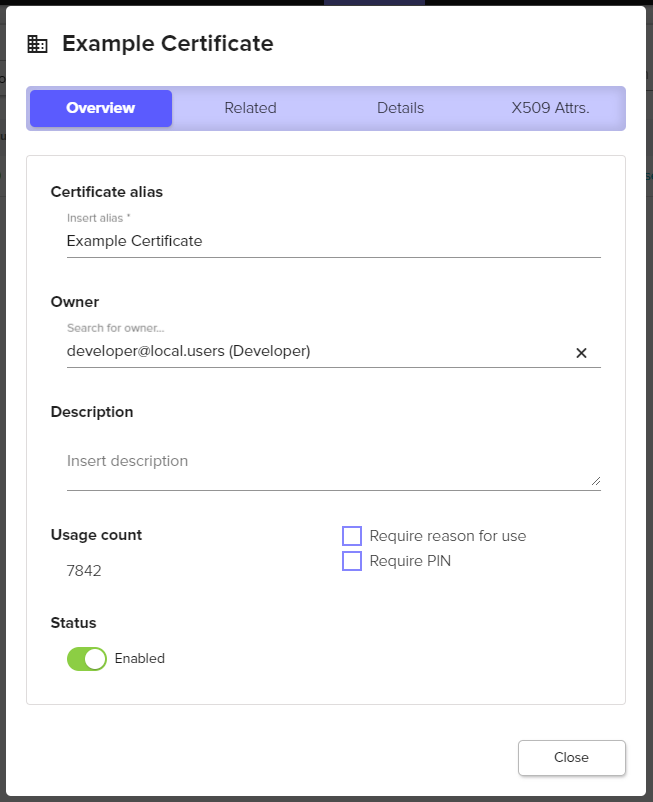
The Overview tab provides information such as the alias, owner, and status:
|
General |
Description |
|---|---|
|
Certificate Alias |
The “name” of the certificate in Signum, can be different from the certificate CN value. |
|
Owner |
The Owner of a certificate will be able to access the certificate superseding any configured policies. |
|
Usage Count |
The total number of times the certificate has been used for signing. |
|
Status |
The current status of the certificate (enabled vs disabled). |
|
Description |
Optional field to enter additional metadata information about the certificate. |
|
Ask for a reason when used |
Will prompt desktop users with a pop-up of the Signum Windows Agent to enter a reason when using a certificate to sign something. |
|
Always ask for PIN |
Will prompt desktop users with a pop-up of the Signum Windows Agent to enter a PIN to use the certificate to sign something. Checking this box will bring up a field to enter the PIN for the certificate. Currently PINs can only be set per certificate. |
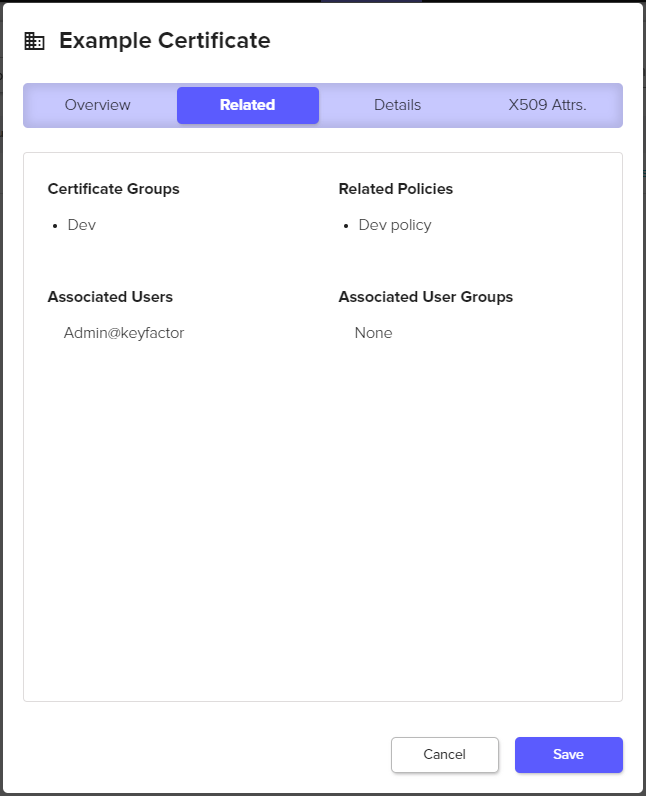
The Related tab provides information such as the certificate groups and related policies:
|
Associates |
Description |
|---|---|
|
Certificate Groups |
Which certificate groups this certificate is in. |
|
Related Policies |
What policies are assigned to this certificate. |
|
Associated Users |
Users that are associated with this certificate because they are included in a policy with this certificate. |
|
Associated User Groups |
User groups (locally in Signum or from an IDP) that are associated with this certificate because they are included in a policy with this certificate. |
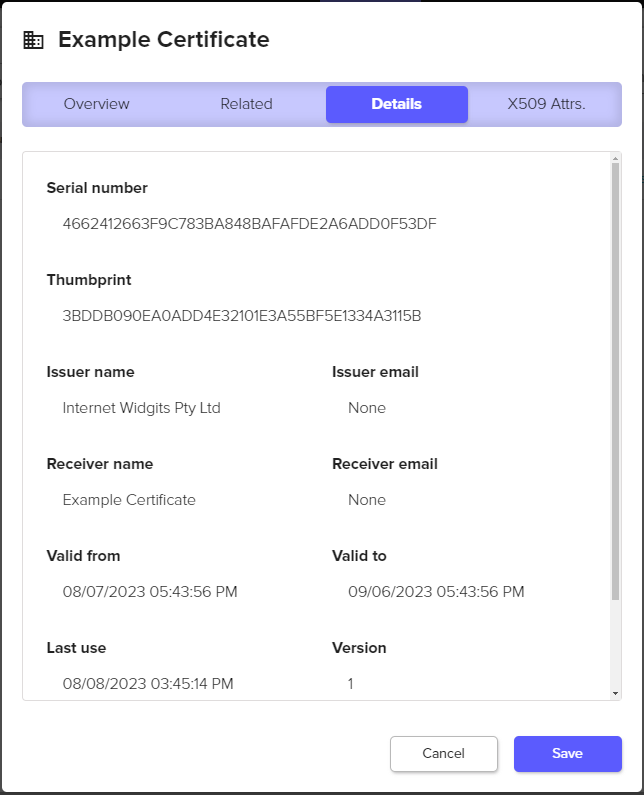
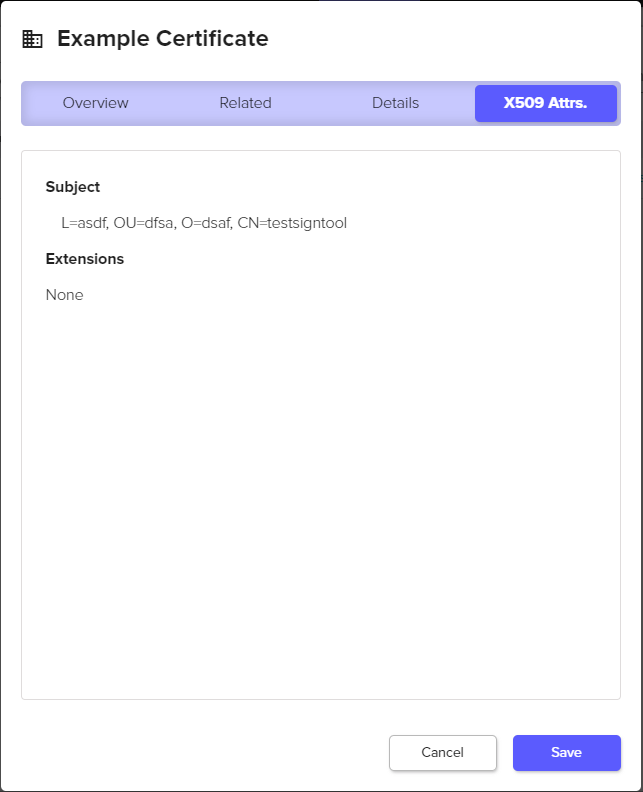
The Details and X.509 Attributes tabs include additional detailed information about the certificate properties including the serial number, thumbprint, issuer, and extended key usage.