.png)
The SaaS Portal Log Viewer allows you to view logs for deployed system components.
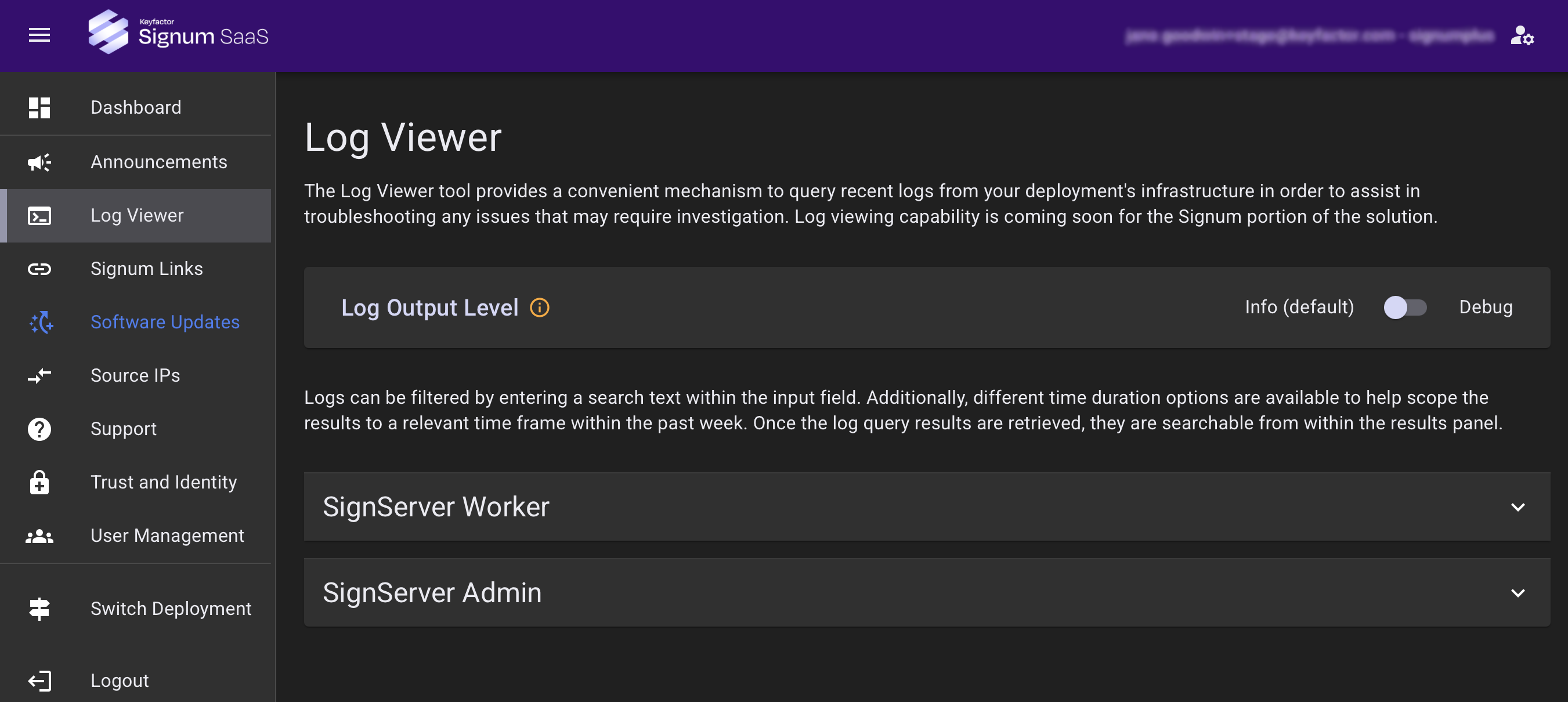
Currently, logs are only available for the SignServer Worker and SignServer Admin, with the Signum application logs coming in a future release.
Log Output Level
The default log output level is Info but can be temporarily set to Debug.
Updating the log level requires a deployment restart. Debug logging will automatically revert back after 4 hours. This may result in a brief period of service unavailability when the change is made, and again when it reverts.
Using the Log Viewer
Logs can be filtered by time range, searched by text, and configured by log level and log type.
To learn about the SignServer Worker and Admin endpoints and their uses, see Using SignServer with Signum.
You can view the logs for the SignServer Worker (backend) and the SignServer Admin (frontend) separately in the SaaS Portal:
|
Log |
URL |
Use Cases |
|---|---|---|
|
SignServer Worker (backend) |
https://signserver.<deployment name>.<region>.az.keyfactorsaas.com |
|
|
SignServer Admin (frontend) |
https://signserver-admin.<deployment name>.<region>.az.keyfactorsaas.com |
|