.png)
This section provides information on how to use the parameters to fine-tune settings such as timeouts within the application container.
-
Log in to your Software Appliance and open the Applications page.
-
Go to the Performance Tuning section.
-
The following performance related environment variables can be changed.
-
Database Max Pool Size (required)
Default value: 150
Max value: 300
Defines the maximum number of database connections in the connection pool.
If database connections timeout during periods of high load, this value can be increased. -
EJB (Enterprise JavaBeans) Thread Pool Count (required)
Default value: 100
Max value: 200Defines the number of threads in the EJB thread pool that are responsible for executing business logic.
Adjust this value based on the expected number of concurrent transactions on your server. -
Request Timeout (required)
Default value: 5000Max value: 60000
Defines the timeout in milliseconds for HTTP(S) connection requests.
Requests that exceed this duration are aborted.
Increase this value for slow network connections,
or decrease it to free up resources more quickly. -
Application Server Deployment Timeout (required)
Default / min. value: 300
Max value: 2147483647
Defines the the deployment timeout in seconds for the application server when the application starts. -
Max HTTP(S) Connections (required)
Default value: 2000
Max value: 5000Defines the maximum number of concurrent HTTP(S) connections that the application server accepts.
Adjust this value based on expected peak traffic and available system resources.
-
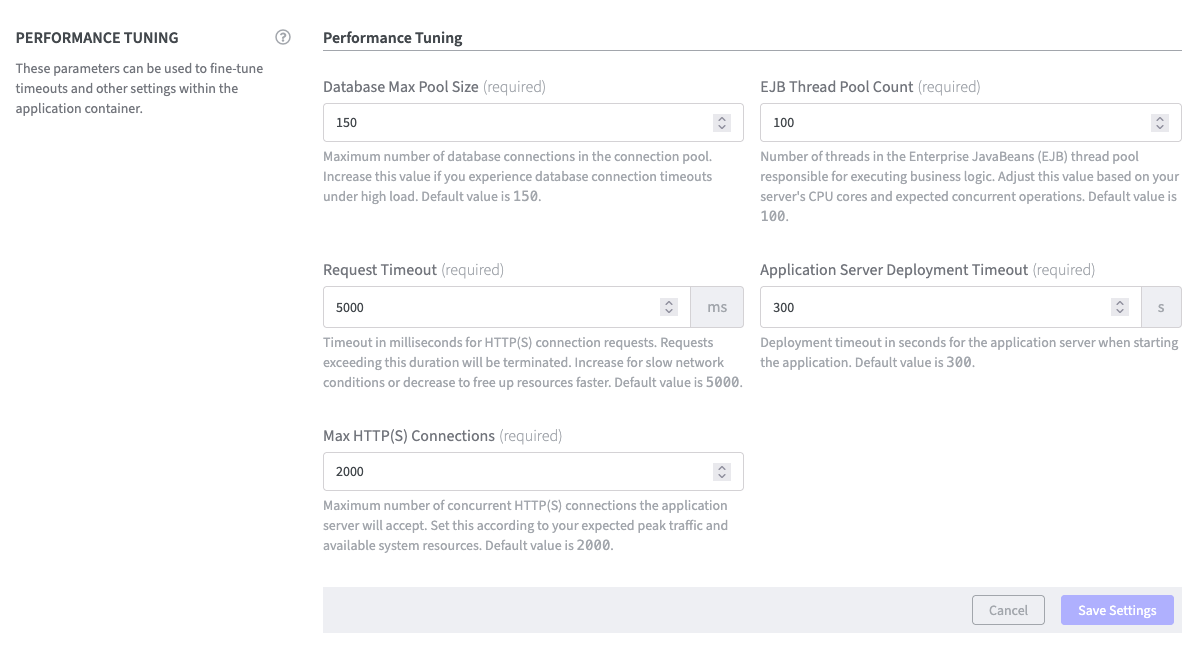
Confirm the configuration with Save Settings.
A new Recent Activity entry is displayed on the Overview page.